Choose a browser extension for LinkedIn® only after identifying the task, checking the current product, and reviewing its permissions. Writing, formatting, sales research, and analytics are different needs. This guide reviews 14 familiar options while distinguishing browser extensions from web platforms and native services, and flags claims that current evidence cannot support.
Key takeaways
- Confirm that a product is actually a current browser extension before comparing it as one.
- Buy for one clear task rather than installing several overlapping assistants.
- Review site access, data handling, and account actions before connecting a tool.
- A browser-store listing is not approval from every platform the extension interacts with.
- Separate your own writing and publishing from engagement or outreach automation.
Why does the product category matter?
A browser extension runs as an installed component of the browser. A web application runs through a website, and a native platform service is offered by the platform itself. Some products combine these surfaces, but the presence of a Chrome button does not mean every feature operates through the extension.
The distinction affects installation, permissions, maintenance, and what you are actually purchasing. A free companion extension may be only one part of a paid platform. An analytics dashboard may require a separate account connection. A native sales subscription is not a third-party extension even if people use it in the same browser.
This October 2026 review uses the official pages linked below. It is a category and buying guide, not a performance ranking or a security audit. We did not test every extension in a logged-in account, and we do not treat marketing claims as proof of platform authorization. Reepl is our own product.
Older roundups often mix these categories and carry forward prices or availability claims without checking them. The entries below preserve useful buying context while identifying what needs confirmation. If a page could not be inspected, that is a limitation of the evidence, not proof that the company or product has disappeared.
What should you compare before installing anything?
| Need | Suitable category | First question |
|---|---|---|
| Improve your own wording | Writing or proofreading assistant | Does it preserve your meaning and voice? |
| Prepare and organize posts | Editor or publishing platform | Which functions belong to the extension versus the web app? |
| Understand performance | Analytics product | What data is available and how is it obtained? |
| Research potential customers | Sales research service | What data, permissions, and intended use are involved? |
| Execute account interactions | Outreach or engagement automation | Are the intended actions permitted at all? |
Write the task in one sentence before browsing a store. “I want clearer comments that I send myself” is specific. “I want growth” is too broad to evaluate. The narrower statement helps you reject features that add account access without solving the actual problem.
Also identify what would count as success. A formatter should reduce preparation friction. A writing assistant should reduce editing work while preserving facts. An analytics tool should answer a question you already have. Avoid substituting feature count for a clear outcome.
1. Reepl: writing assistance alongside your browser
Reepl is an AI writing platform that puts your social media on autopilot in your own voice: it finds what to post about, drafts your posts, and keeps your calendar full, with you choosing what it does without asking. Its browser writing assistance is one part of that broader product.
For comments and messages, Reepl drafts text that you review, edit, and send. Evaluate whether those drafts express your real contribution and whether the workflow fits how you write. Do not describe the extension as an outreach automation system or assume it executes engagement for you.
Check the current plan information and distinguish browser assistance from paid web-app features. An old extension limit or screenshot does not establish your current entitlement. If your only need is occasional proofreading, a simpler editor may be sufficient.
2. AuthoredUp: editing and content organization
AuthoredUp's October 2026 page presents an editor, drafts, a calendar, and analytics, with a Chrome installation option. Its strength is the preparation and organization of posts. That makes it relevant when you already have ideas and want a more deliberate editorial workflow.Test it with a draft you wrote yourself. Inspect preview, revision, and the handoff to publishing. Ask which features are available in the extension and which require the web application or an account connection.
Do not assume formatting creates a stronger argument. Bold text and preview controls can help presentation, but they cannot repair missing evidence or an unclear point. Choose AuthoredUp for the workflow it documents rather than treating it as interchangeable with a general AI generator.
3. Taplio: a companion to a broader platform
Taplio's current page describes a broad writing, scheduling, and engagement platform and identifies a companion Chrome extension. Reviewed in October 2026, its scope is wider than a standalone browser writing widget.The strength is bringing several content-related activities together. The tradeoff is that the extension, web platform, and connected integrations may expose different actions. Ask which exact feature you are evaluating and what permissions it requires.
If you need post drafting, test that workflow independently from engagement and connection functions. Do not treat a vendor's safety wording as platform permission. A broad subscription is useful only when the included workflow matches your intended use and you understand the boundary between a draft and an account action.
4. Engage AI: verify the current offering
The Engage AI homepage inspected in October 2026 emphasizes an engagement community. That is different from the earlier description of a straightforward comment-generating extension. We do not carry forward the old feature, free-plan, or availability claims as current facts.
If you are looking specifically for drafting assistance, request the current extension listing and documentation for that feature. Confirm whether the product prepares text for you or organizes a broader interaction process. Those are materially different purchases.
An engagement community's promise of comments does not establish that the discussion is useful or appropriate. Evaluate the actual mechanism and platform rules. This entry is an evidence qualification, not a claim that every historical feature has been discontinued.
5. PowerIn: the inspected page describes a different service
The PowerIn homepage reviewed in October 2026 emphasizes account sales. That page does not substantiate the previous article's recommendation of a commenting extension. We therefore remove the old “automated commenting at scale” endorsement.
Account purchasing is not a writing workflow, and this guide does not recommend it as a way to improve professional communication. We also do not repeat the site's account-safety or restriction-rate claims as independent evidence.
The practical lesson is to check the current destination behind a familiar product name. A historical screenshot or old review can describe a different offering from the one now available. If the service you need cannot be documented, leave it off the installation shortlist until the vendor resolves the discrepancy.
6. Apollo.io: sales research is a separate decision
Apollo's October 2026 site describes a sales platform. Its value proposition belongs to prospecting and sales operations, not simply improving post wording. That may be relevant to a sales team, but it should be evaluated under a different set of questions from a writing assistant.Confirm the current browser component and the data it accesses before installing. Ask what information comes from the provider's service, what comes from pages you visit, and how the intended use fits your organization's requirements. Do not infer those answers from a general product description.
A contact-data workflow also needs ownership, retention, and relevance standards. More available information does not automatically make a message appropriate. Keep research and the decision to contact someone separate, and avoid purchasing a large sales platform to solve a minor writing problem.
7. Lusha: evaluate data use before convenience
Lusha's public site, reviewed in October 2026, presents B2B contact-data and sales capabilities. That is a different category from a content editor. Its relevance depends on whether your organization has a legitimate sales-research requirement and an approved process for using the resulting information.Ask for the current extension documentation and inspect the exact permissions. Confirm export, deletion, and team access behavior rather than assuming that a browser button is a self-contained tool. Review applicable policies with the people responsible for your organization's data practices.
The tradeoff is operational complexity. A service may make information easier to obtain while leaving the harder questions of relevance, consent where required, and follow-up ownership unresolved. Evaluate those questions before comparing convenience or historical credit allowances.
8. HubSpot Sales: distinguish the CRM from the browser component
HubSpot's Sales Hub page describes a broader sales product. Its strength is the potential fit with an existing sales process, but a CRM subscription and a browser extension are not the same thing. Verify the current extension's supported surfaces and actions separately.An organization already using HubSpot should ask whether the proposed browser workflow supports its established process. A new buyer should avoid assuming that every CRM feature appears in every browser context or that a third-party page can be synchronized without additional constraints.
Reepl is not a CRM and this article does not present it as a replacement for one. Compare systems according to their actual jobs. If the problem is clearer professional writing, a CRM purchase may add work without improving the draft.
9. Shield: do not infer current status from a failed fetch
Shield appeared in the earlier article as an analytics product with a shutdown claim. Our current retrieval did not provide usable primary evidence to establish its present availability. We do not convert that retrieval limitation into a current closure statement.
If Shield is part of an existing workflow, use direct vendor communications and your account information to confirm service status, export options, and support. If you are considering a new subscription, obtain current product documentation before treating a historical comparison as a buying recommendation.
The broader buying question is what an analytics product helps you decide. A dashboard should answer a specific question about your publishing, with understandable metric definitions. It should not be installed merely because a listicle categorizes it as a useful extension.
10. Kleo: a current writing platform, not an assumed old extension
Kleo's October 2026 page presents an active personal-brand writing platform with content strategy, creation, scheduling, and related features. That contradicts treating the brand as simply a dormant extension. It also does not justify labeling the current product as the same browser tool described in older reviews.Consider Kleo for the documented web workflow if its approach fits how you develop ideas and posts. Verify any extension separately. Ask to see a source note become a draft and then move through the actual publishing process.
The tradeoff is category fit. A platform focused on content strategy may be useful when you need direction, but excessive if you only want an occasional grammar suggestion. Evaluate the current product on its own terms rather than the reputation of an earlier version.
11. Sales Navigator: a native service, not a third-party extension
LinkedIn® Sales Navigator is a native sales service. Its October 2026 product page describes sales-research capabilities. It should not be presented as one of 14 equivalent third-party Chrome extensions simply because it is used in a browser.Its strength is addressing a sales-research task within the platform's own offering. That does not make every external service used alongside it authorized, nor does a subscription remove platform restrictions on third-party account actions.
If search is your task, define the audience and required criteria before buying. The Sales Navigator search string builder can help organize a query. A good query narrows research; it does not establish that every resulting person should receive outreach.
12. Publer: assess the publishing workflow
Publer's current site, reviewed in October 2026, describes a social publishing platform. Its relevance is preparing and managing your own content across supported destinations. Confirm the current browser-extension functionality separately from the broader web application.A publishing workflow should make the destination account, scheduled time, and final text clear. Test how a draft is edited or removed before publication and how the product reports an unsuccessful publish. Do not judge only the initial scheduling screen.
The tradeoff is breadth. If you publish across several networks, a broader calendar may be useful. If you write only occasional posts, manual publishing may be simpler. Check current channel and format support rather than assuming all supported platforms have identical capabilities.
13. Crystal: treat personality suggestions cautiously
Crystal's October 2026 site presents personality-oriented communication guidance. That is a different job from proofreading or writing your own posts. If you evaluate a browser component, confirm its current data inputs and what the suggestions actually represent.A communication suggestion is not a verified fact about a person's preferences. Avoid turning an inferred personality label into certainty about how someone will respond. The person's actual words and expressed preferences should carry more weight than a generalized prediction.
Use any guidance as a hypothesis to review, not a reason to manipulate tone or assume private characteristics. A clear, respectful message with a legitimate purpose remains necessary. If the suggestion makes the message sound unlike you or overfamiliar, reject it.
14. Grammarly: improve wording you already own
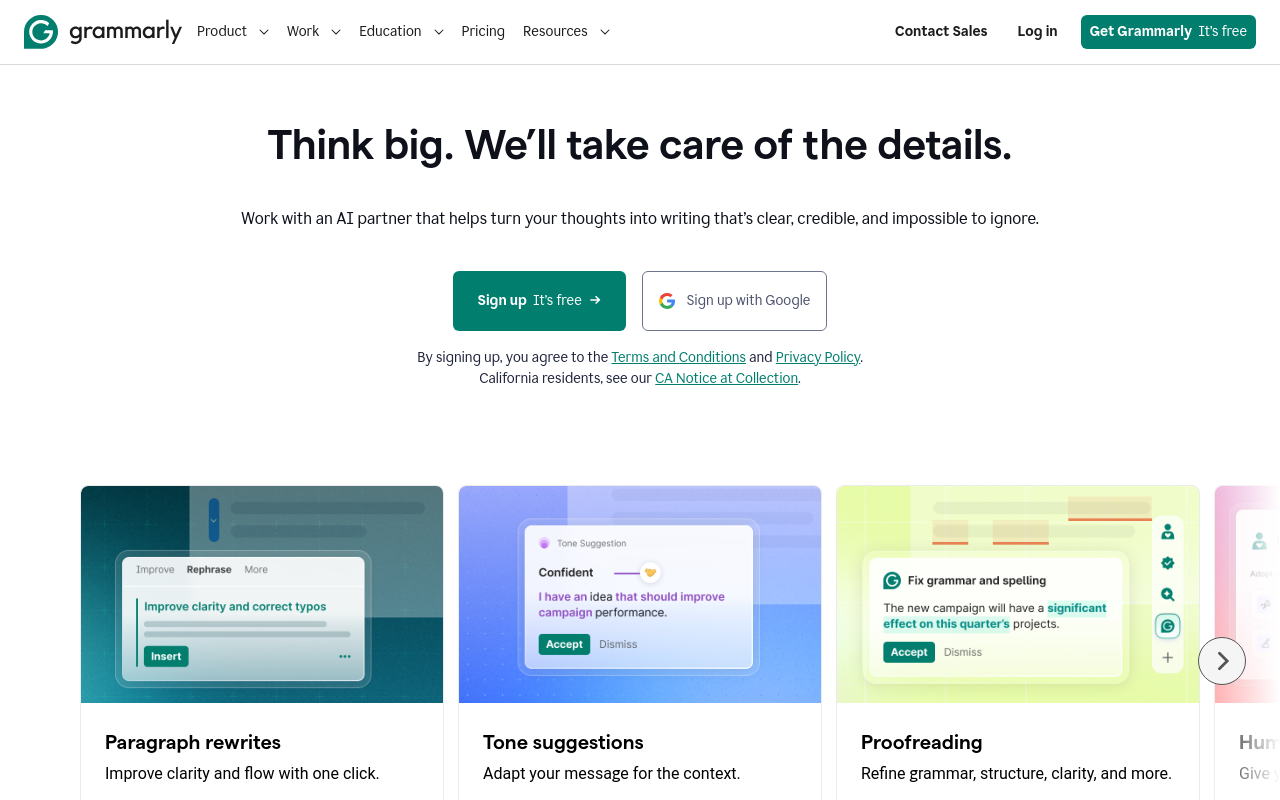
Grammarly's product page describes proofreading, tone suggestions, and paragraph rewrites. Reviewed in October 2026, those capabilities make it relevant to professionals who want help editing posts, comments, or messages they have already drafted.Its strength is addressing a narrow writing problem across different contexts. The tradeoff is that a suggestion may change a technical meaning or remove a deliberate qualification. Review edits rather than accepting every change because it sounds smoother.
Test a paragraph with domain terminology and a sentence expressing uncertainty. Confirm that the assistant preserves both. If your main difficulty is deciding what to say, proofreading will not supply the missing insight, but it can help make a genuine contribution easier to understand.
How do you inspect extension permissions?
Start with the official listing and the developer's own documentation. Confirm the publisher, recent update history, requested access, privacy policy, and support route. A familiar name in a search result is not enough to establish that you have found the intended extension.
Chrome's extension installation and management guidance explains how to manage installed extensions and site access. Use the available controls to match access to your task. A permission review helps you understand exposure; it is not a substitute for assessing the vendor's practices.
Ask what happens when you disable or remove the extension. Determine whether a connected web account still retains data or authorization. Removing a browser component and canceling a service are different actions. Keep a record of the connection and cancellation steps so that an abandoned trial does not remain an unexplained dependency.
For a team, use the organization's approved installation process. One person's convenience should not silently create access to shared client information. Confirm who owns the subscription and who can revoke access when a teammate leaves or a client engagement ends.
Which claims should make you pause?
Pause when a product treats browser-store availability as proof of platform approval, advertises a universal safe automation allowance, or asks for broad access without explaining why. LinkedIn®'s User Agreement is the primary reference for restrictions on unauthorized account automation and data collection. Vendor controls do not create permission.
Also pause when an article mixes old screenshots with newly updated pricing or claims a product has closed without current evidence. A date at the top of a page is useful only when the underlying claims have been reviewed. Ask what was checked and what remains uncertain.
Finally, avoid overlapping installations without a clear benefit. Several writing assistants can produce conflicting suggestions and make troubleshooting harder. Start with one tool, test the intended task, and remove it if it does not improve the work. More browser components do not automatically create a better publishing process.
How do you diagnose overlapping extensions before choosing one?
Use a controlled editing exercise to find out whether two installed assistants are solving the same problem. Begin with a saved copy of a harmless draft outside the browser. Include a technical term, an intentional qualification such as “may,” and a sentence you want shortened. These details let you inspect meaning as well as convenience.
Enable one writing extension and complete the task without publishing. Note which changes it proposes, which you accept, and which alter the argument. Then return to the original draft and repeat with the other assistant. Do not compare a second tool against text already improved by the first, because that gives the tools different starting conditions.
If text disappears, suggestions overlap, or an editor becomes difficult to use, save your work before changing anything. Disable the recently added extension, reload the page, and check whether the problem persists. Repeat with one component enabled at a time. This is a troubleshooting method, not proof that an extension is defective: the browser version, page update, and another installed component may also matter.
Keep a short record of the symptom, browser version, extension version, and action that triggered it. Share a sanitized reproduction with support instead of sending screenshots containing client messages or account details. If the workflow cannot be made predictable, return to the web editor or your existing writing process while the issue is investigated.
What would a practical extension decision look like?
Consider an illustrative independent consultant who writes original posts, occasionally replies to peers, and already keeps a client pipeline in a separate CRM. The consultant wants fewer editing interruptions, not another prospect database. That definition removes sales-data products from the immediate shortlist without making a judgment about their value for a sales team.
The consultant compares a proofreading assistant with a broader writing platform. The proofreading trial begins with a finished paragraph and asks whether edits preserve technical meaning. The writing-platform trial begins with rough notes and asks whether the assistant produces a useful draft without inventing client experience. These are different tests because the products are being considered for different missing steps.
Suppose, within this hypothetical example, the consultant finds that most time goes into choosing an argument rather than correcting grammar. A proofreading extension would address a minor inconvenience, while a writing workflow could be more relevant. If the opposite is true, a larger platform may add setup with little benefit. The decision follows the observed bottleneck, not the number of features listed.
Before subscribing, the consultant records the chosen task, required permissions, subscription owner, and exit steps. Any unused trial extension is removed, and connected account access is checked separately. The final setup should have an explanation for every component: what work it helps complete, what information it needs, and who reviews the result. Revisit that explanation when a product adds new permissions or changes its main offering.
What should your trial look like?
Choose a harmless, representative draft that contains no confidential information. Complete the intended task, inspect every proposed change, and confirm the final destination before any publication. Record what became easier and what required extra review.
For an illustrative writer, the trial might involve formatting a draft, correcting a confusing sentence, and checking a scheduled post. For a sales team, it might be a demonstration of a research workflow without initiating contact. Keep these evaluations separate because they involve different permissions and outcomes.
Pick the smallest set of tools that solves your actual tasks. Confirm current terms before purchase and revisit permissions when the product changes. The right browser setup should make your work easier to understand and control, not obscure which service is reading information or acting on your account.
Your All-in-One LinkedIn® Chrome Extension
AI comments, post writing, scheduling, contact saving, and 20+ free tools, all from one extension.