To deliver a requested resource on X, name the resource and the keyword in your post and say the reply requests a DM. Inbox Rules on X (Premium, opt-in) send a message you wrote to people who reply to your X post with a keyword you chose. Test the rule with a willing participant, then honor every stop request.
Key takeaways
- Put the resource name, the keyword and the words “for a DM” in the public post, so a keyword reply is a clear request.
- X's automation rules require prior requested contact or a clear indication that the recipient wants the DM; a follow, open DMs or a generic reply gives you neither.
- Choose a distinctive keyword, prefer a specific post, and test Exact, Whole word or Contains matching with a willing participant.
- Write the delivery message yourself, link straight to the promised resource, and include a stop route that a named person monitors.
- Pause the rule when the resource, its access or the person monitoring requests changes.
What is a keyword resource-delivery workflow?
Keyword resource delivery is a workflow in which a reader requests a named resource by replying with a specified word, then receives the promised material through the stated channel. The public invitation should make that exchange understandable before the reader acts.
For example, a founder might offer a blank product-review checklist. The post explains what the checklist contains and asks readers to reply with a distinctive keyword if they want a DM containing the link. The requested message delivers that checklist, with no surprise sales sequence attached.
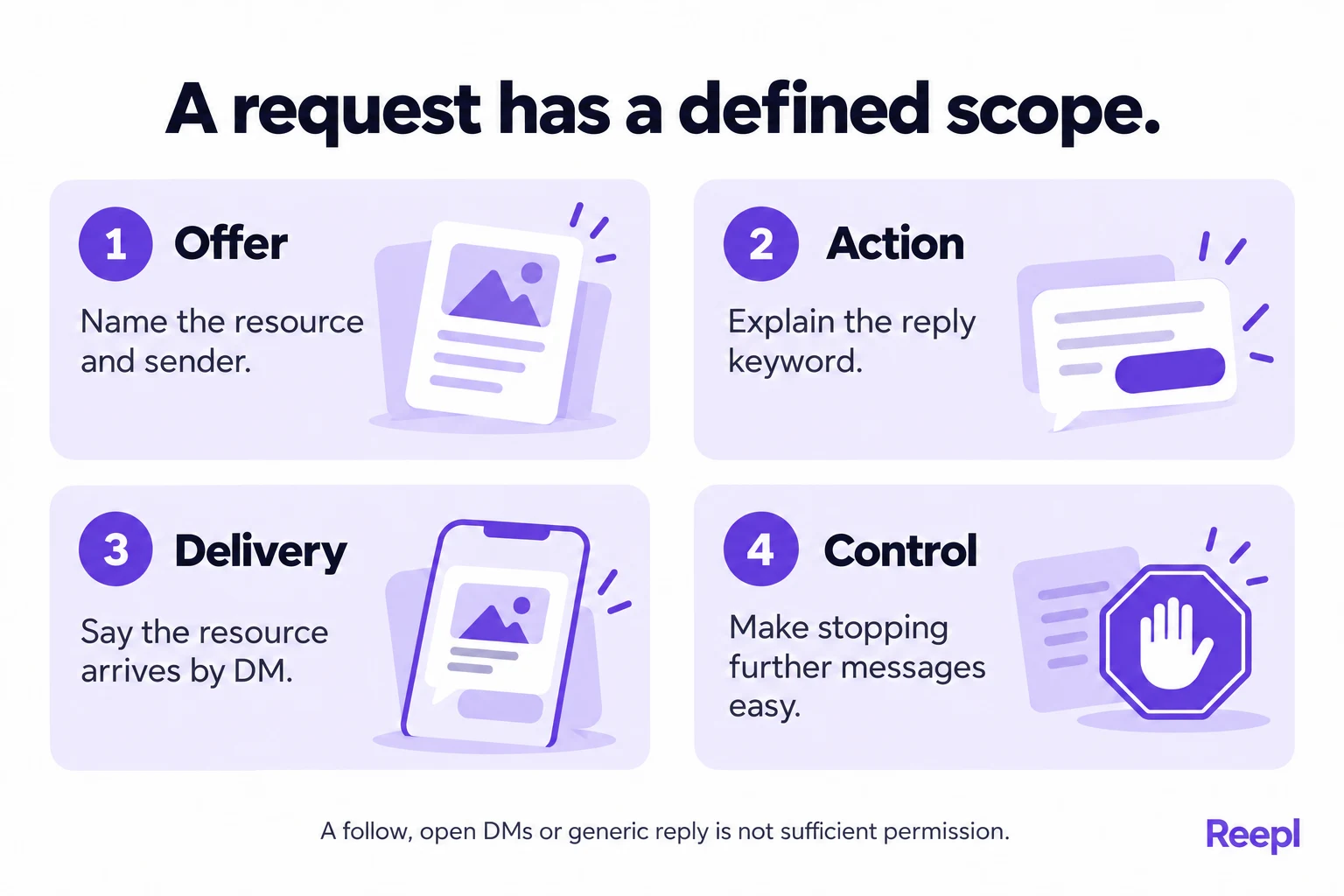
This works only when the request is clear. “Comment below” does not explain whether a reader will receive a private message. “Reply CHECKLIST for a DM with the blank product-review checklist” gives the action, delivery channel and resource together.
X's automation rules, updated April 2026 and checked in October 2026, require prior requested contact or a clear indication that the recipient wants the DM. They also require a clear, easy opt-out that is promptly honored.
A technical match is not the same as a meaningful request. Someone might use your keyword while disagreeing with a post or discussing an unrelated point. Design the invitation and matching scope to reduce that ambiguity, then monitor what the rule actually encounters.
What does an opt-in resource request need to say?
An opt-in invitation should identify the resource, the action and the delivery channel. It should also set a reasonable expectation about what happens afterward. A reader should not need to infer that a short public reply initiates private contact.
Use plain wording before the keyword instruction. Explain who the resource helps and what it contains. If it is a blank template and no analysis of the reader's business, say that. If access requires an account or email submission, disclose that before the request.
X says that being technically able to receive a DM does not necessarily mean someone requested or expects an automated message. The policy's examples include following an account, accepting DMs from anyone and having an existing conversation.
Provide an easy stopping route that you can actually honor. If you tell readers they can reply with a request to stop, someone must monitor those replies and prevent further contact. Never imply that the word “STOP” in a template triggers any suppression in software.
For a one-resource offer, keep the follow-up boundary narrow. X says not to send additional follow-up DMs after a user-initiated interaction ends without permission. Treat a request for a worksheet as a request for that worksheet only, with no consent to an ongoing sales conversation or another campaign.
How should you write the message that delivers the resource?
Write a short message that identifies the request and delivers the resource. Include enough context that the recipient recognizes why the message arrived. Keep the link destination transparent, and avoid extra steps that were not disclosed in the original offer.
An illustrative message could read: “Here is the product-review checklist you requested on our post: [resource link]. It covers the decision, evidence and next test. If you would rather not get further messages about this resource, reply and tell us to stop.”
Use that stopping instruction only with a monitored process that honors it. If you cannot reliably receive and act on requests, pause the workflow until you can.
Test the destination as a recipient. Confirm that the resource is available, the page title matches the offer and the link does not lead to a different promotion. Check mobile readability and permissions on shared documents before inviting public requests.
X's authenticity policy, checked in October 2026, prohibits spam and describes unwanted, repetitive and misleading activity. A keyword mechanism does not create an exemption from those broader rules. Keep the offer relevant and avoid repeatedly pressing people to request it.
Ask for no more information than the resource needs: X's automation rules advise requesting only information needed for the service. A blank checklist usually does not require a recipient's phone number, client details or internal business documents.
If a recipient voluntarily shares private context, handle it separately and carefully. X's private-information policy prohibits sharing private information without authorization. Ask before you publish any screenshot of a reply, even a positive one, as a testimonial.
How do Reepl Inbox Rules fit this workflow?
Reepl is an AI writing platform that puts your social media on autopilot in your own voice: it finds what to post about, drafts your posts, and keeps your calendar full, and you decide how much it does without asking.
Inbox Rules on X (Premium, opt-in) send a message you wrote to people who reply to your X post with a keyword you chose. Keep that scope attached to the feature: your post, your chosen keyword, your written message and an opt-in request.
For the English settings interface, configure the rule in this order. Confirm the available controls in your Premium workspace and prepare the public opt-in wording before activating delivery. Keep your written message and resource link ready for review.
- Open settings, choose Inbox Rules, then Create Rule.
- Under Which posts to watch, choose Specific post for a resource tied to one announcement. Use Select post to choose that post.
- Enter the Trigger keyword and select the intended match: Exact, Whole word or Contains. Broader matching can capture unrelated wording, so test carefully.
- Write the promised resource message in DM to send, including a stopping route you can monitor. Select Create Rule to save it.
- Check the rule card's switch. If paused, use Activate rule only when the invitation and monitoring process are ready. Use Pause rule when delivery should stop.
The rule delivers the message you prepared, and that is its whole job: send nothing unrelated to the same people later. Review the destination whenever the resource changes. Pause the rule when the offer expires, the resource is withdrawn or you cannot monitor requests appropriately.
What arrives also depends on the recipient's account choices. X's DM help explains recipient settings and message requests, and the section on uncertain delivery below covers what to do when a reader reports nothing.
Use Inbox Rules only in the specific X context described here. A resource request on another platform has its own rules and workflow. This feature description does not extend to automated comments, connections or messages on LinkedIn®.
What does a complete resource offer look like in practice?
Consider an illustrative consultant sharing a blank meeting-review worksheet. The worksheet helps a team record the decision, evidence, owner and next check. The consultant wants readers who ask for it to receive a useful link without manually repeating the same delivery text.
The first draft says, “Want better meetings? Comment below.” That invitation is too vague for this workflow. It does not name the worksheet or explain private delivery. A reader could respond with an opinion without asking to receive a message.
The consultant rewrites the post: “We made a blank meeting-review worksheet covering the decision, evidence, owner and next check. Reply WORKSHEET to this post if you want a DM with the link. You can use it without signing up.”
The final access sentence must be true. If the consultant later puts the worksheet behind an email form, the original offer no longer accurately describes the destination. The consultant should pause the rule and update the offer before inviting more requests.
The delivery message names the worksheet, links directly to it and explains how to request no further messages. The consultant assigns someone to monitor requests and review the rule, because recipient responses such as stop requests need a person to act on them.
A practical planning record looks like this:
| Field | Example entry |
|---|---|
| Resource | Blank meeting-review worksheet |
| Reader task | Record a decision and its next check |
| Public action | Reply WORKSHEET to the named post |
| Delivery | A DM containing the resource link |
| Access condition | No registration, if that remains true |
| Message owner | The person responsible for the written message |
| Opt-out handling | Monitored requests, promptly honored |
| Review trigger | Changed resource, expired offer or reported problem |
This example is an illustrative process with no customer, request count or conversion figure behind it. Its purpose is to keep the offer, request and delivery consistent enough for a reader to understand.
If the worksheet is already explained fully in the public post, linking it publicly may be simpler. Choose private delivery because it serves a legitimate reader need, not because every useful resource must be placed behind a keyword interaction.
How should you test and monitor a resource-delivery rule?
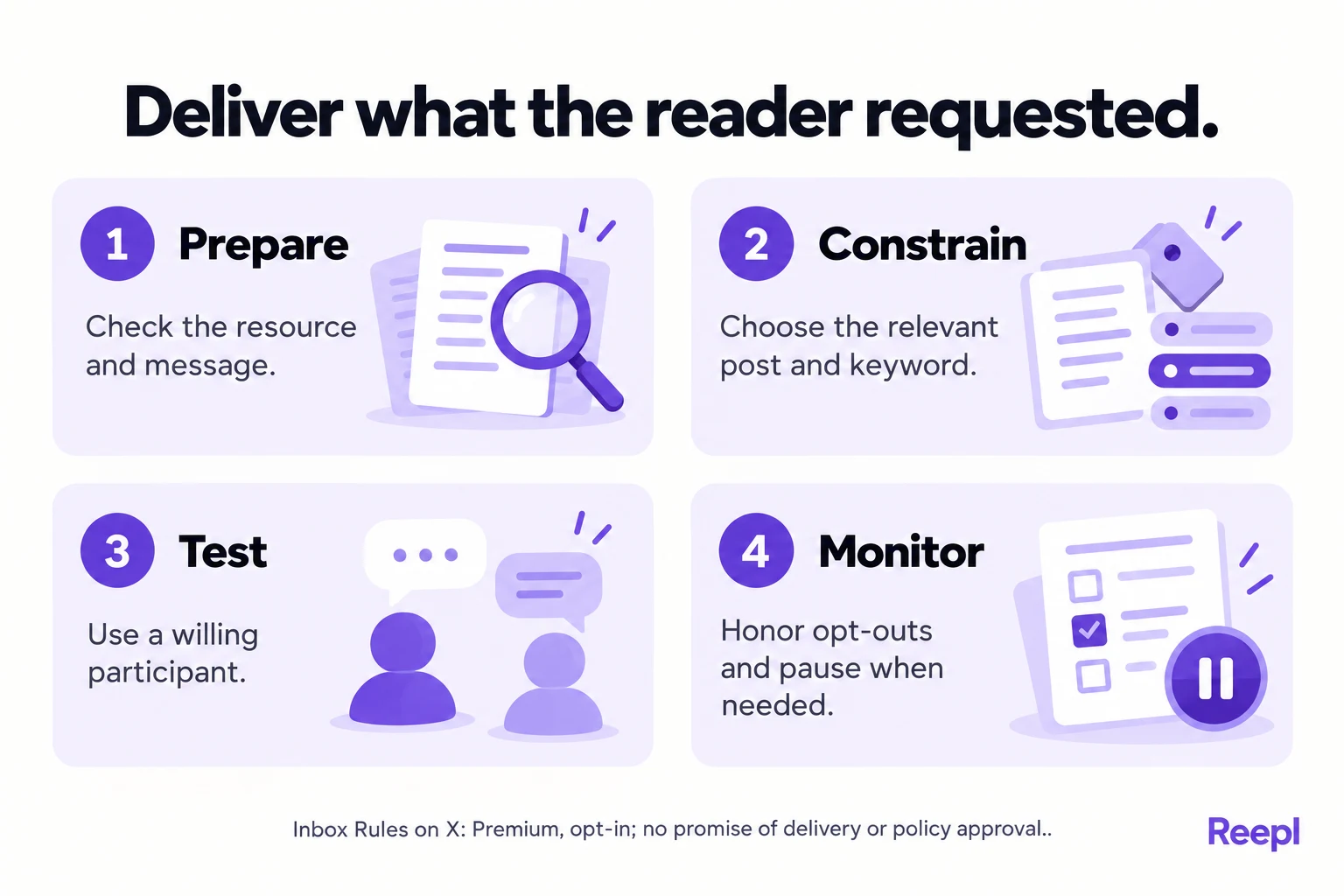
Test with a willing participant who understands the invitation and agrees to receive the message. Check the full experience, including the public wording, matching behavior, message contents and destination. Check the result from the recipient's side, because a saved rule shows only the configuration.
Use a small checklist before inviting wider participation:
- Open the resource with the access level a recipient will have.
- Read the public offer and confirm that DM delivery is explicit.
- Check the selected post, keyword and intended matching behavior.
- Review the exact message, including its stopping instructions.
- Test a genuine request with a consenting participant.
- Confirm the message and link from the recipient's perspective.
- Assign monitoring responsibility and a reason to pause the rule.
Also test ambiguous wording when practical. A keyword inside an unrelated sentence should prompt you to reconsider broad matching. The objective is not to capture every possible reply; it is to deliver a resource to people who clearly requested it.
Review connected-app permissions when troubleshooting. X's third-party access guide explains how to inspect and revoke access. Use the account's normal authorization controls, and fix a permission issue without working around recipient preferences.
If a reader reports no message, check the observed state before retrying. The message may be in requests, the recipient may have settings that affect delivery, or the operation may have failed. Ask for only the information needed to understand the problem.
Keep a basic record of the offer and the message version. That helps explain what a reader requested if the resource changes later. Keep personal information to what the workflow needs, and restrict access to any private correspondence.
How should you choose a keyword without creating mistaken requests?
Choose a keyword that clearly identifies the offered resource and is unlikely to appear in unrelated replies to that post. Then test the selected matching mode with willing participants before inviting broad use. A matched string is a technical event; the reader's intention remains the relevant question.
Consider an illustrative worksheet offer. “WORKSHEET” is more specific than “YES,” but a reply saying “I already have a worksheet like this” still contains the word. The existence of a match does not make that sentence an affirmative request. Your public instruction and matching choice should reduce that ambiguity, and your monitoring process should catch mistakes.
| Example reply | Likely reader meaning | Review concern |
|---|---|---|
| WORKSHEET | A clear response to the invitation | Confirm the post and resource match |
| Is this worksheet for agencies? | A question before deciding | A broad match may trigger too soon |
| No worksheet needed | No request | The keyword alone is misleading |
| Can I get the blank version? | Possible request without the keyword | The rule may not recognize it |
These examples show why testing matters. Case, punctuation and whitespace can affect matching, so test the configured rule with real replies of each kind before you rely on the labels Exact, Whole word and Contains.
Prefer a specific post when the offer concerns one resource. Watching a broader set of posts creates more opportunities for the same word to mean something else. If you maintain several offers, keep the resource, public invitation and rule together in your records so a later change does not deliver the wrong file.
What should you do when delivery is uncertain?
Investigate the observed state before sending another message. A reader may not see a message immediately, may have a request filter or may be unable to receive it under current account settings. A queued action, a reported send and a confirmed recipient experience are different pieces of evidence.
Ask the reader only for information necessary to resolve the request, which never includes unrelated account details or a screenshot exposing other conversations. If a screenshot helps, ask the reader to hide private material. Keep the exchange focused on the promised resource.
Use a simple response such as: “Thanks for flagging this. The requested worksheet is also available at this public link. I am checking the delivery issue.” That fallback works only if the resource can legitimately be shared publicly. Otherwise, offer an appropriate route that the reader chooses without requiring a change to privacy settings.
Pause the rule when repeated mistaken matches, inaccessible resources or unhandled stopping requests appear. Fix the cause before resuming. Updating a destination without reviewing the invitation can create a new mismatch, especially if access changes from open download to registration.
Keyword replies show requests, and delivery needs its own evidence. Record what you actually know in a short log:
- Requests observed: [count]
- Operations reported as sent: [count]
- Access problems reported: [who, and what failed]
- Issues resolved: [what you fixed, and when]
A recipient is not obliged to confirm that they opened a resource, and silence after delivery is a reason to stop, never to keep following up.
What belongs in a resource-delivery operating brief?
Write a short operating brief before enabling the rule. The brief should let another authorized teammate understand the offer and stop it safely. The brief is your own document; keep it beside the rule and update both together.
- Name the exact resource and its owner, including the version or review date.
- Copy the public invitation and state the action that requests delivery.
- Record the selected post, keyword and matching mode.
- Save the exact written message and test the destination as a recipient.
- Identify who monitors delivery problems and stopping requests.
- Specify the conditions that require pausing or retiring the rule.
Include expiry as a real decision. A workshop worksheet may remain useful after the workshop, while a limited offer may become inaccurate. If the resource stays available but the owner stops monitoring requests, decide whether public access is a better ongoing route.
Assign one person to the stopping-request route and record who covers their absence. Before enabling the rule, confirm that this person can inspect incoming requests and pause delivery. If you cannot establish how to prevent further contact with a requester, pause the relevant rule until the request is resolved.
Review the message when the resource changes. A new filename may be harmless; adding a sales form, collecting more personal information or replacing a blank template with a promotional brochure changes what the reader receives. The original request should not be stretched to cover a different purpose.
For a small campaign, the brief may fit in a single document. The value comes from clear scope, not bureaucracy. When the offer, request and delivery no longer line up, pause, correct the wording or move to a simpler public-link approach. Reader expectations should determine the process.
What should you avoid promising about this workflow?
Promise readers the resource and nothing more: no guaranteed delivery, account safety or platform approval. The relevant policies, recipient settings and actual campaign behavior all matter. A narrowly described feature can support a process, but it cannot settle every condition that applies to an account or campaign.
X's automation rules include additional requirements for certain campaign types and AI-generated automated replies. This article covers one case only: delivering a message you wrote in response to a clear resource request. Check those additional requirements before you use any other kind of automated conversation or campaign.
Avoid presenting keyword requests as a universal growth tactic. A helpful worksheet may receive few requests because the audience already has a solution or does not need the resource. The useful question is whether requesting readers received what they expected.
Track practical problems first: unclear requests, inaccessible links, mistaken matches and unhandled opt-outs. Those observations tell you what to repair. A count of triggered actions measures matches; successful delivery, meaningful interest and permission for later outreach each need their own evidence.
If you need a better resource before setting up delivery, start with the underlying explanation. Our guides to founder post ideas and content repurposing can help identify useful material from actual work while keeping the eventual X delivery workflow separate.
Continue with our guides to planning an X post and measuring requested-resource delivery.
Put your next idea into words
Draft in your voice, review the details, and choose what to publish.