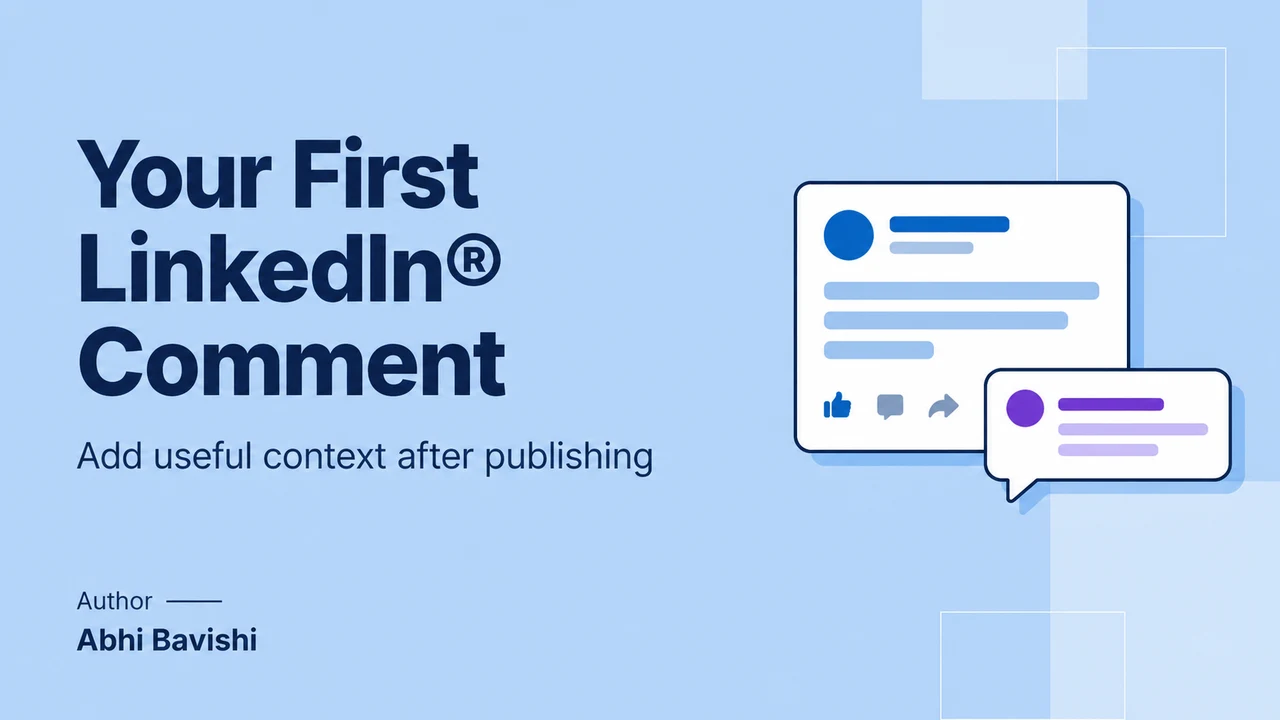
A LinkedIn® first comment is the author’s own opening comment under their post, used for a source note, extra context or one focused question. Draft it alongside the post, set a calendar reminder for shortly after publication, then open the live post, read any replies and publish the comment yourself.
Key takeaways
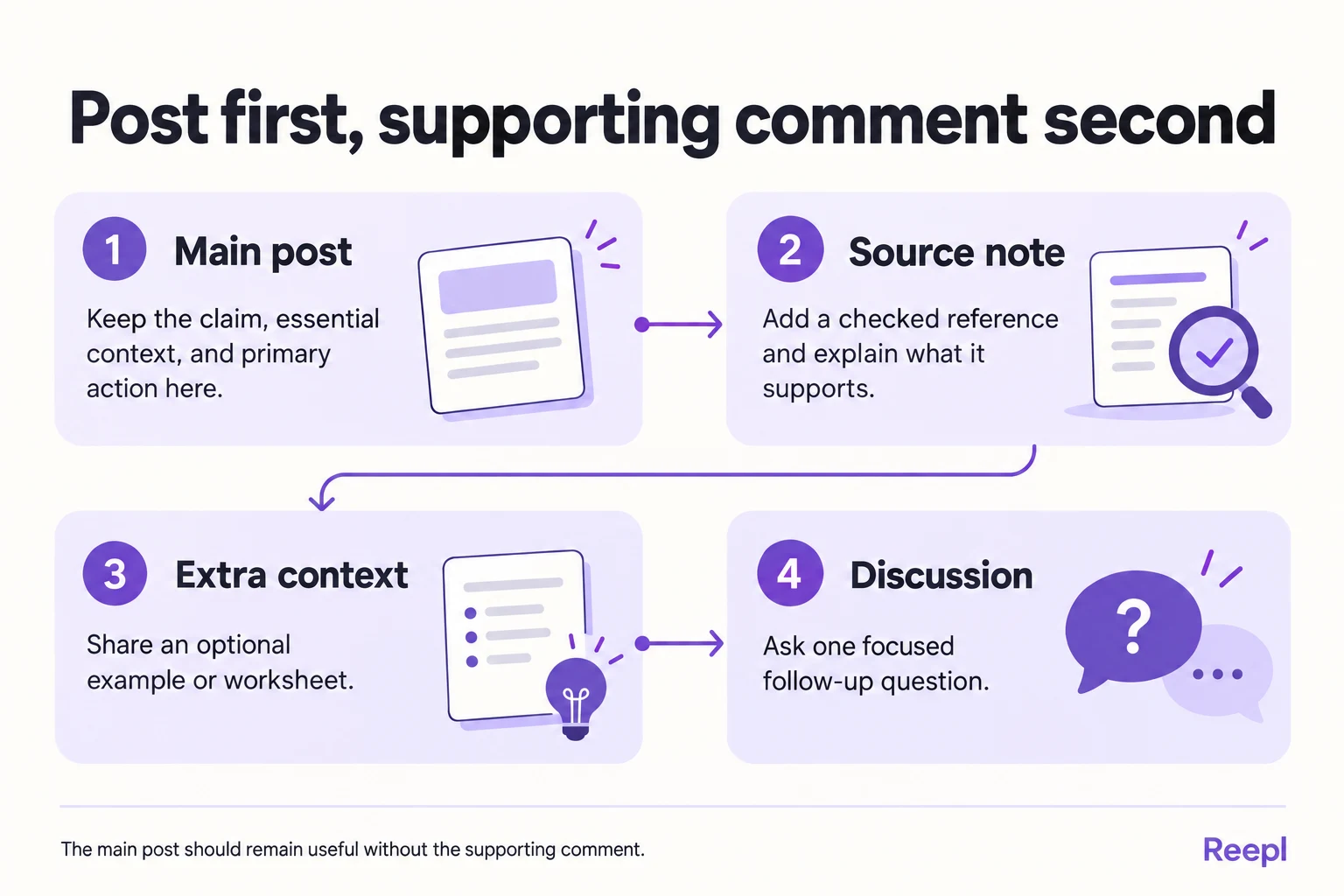
- Keep the main claim, any qualification that changes it, disclosures and the main reader action in the post itself.
- Give the first comment one job: a source note that explains relevance, extra context for a likely question, or a focused discussion question.
- Attach the account, post opening line, approved draft and owner to a calendar reminder, so the comment takes only the 10 minutes you reserve for it.
- Open the live post and read existing replies before you send, so the prepared text still fits the conversation.
- Place links by what the reader needs, and treat claims of a universal reach gain from comment links as unproven.
What should a LinkedIn® first comment do?
A useful LinkedIn® first comment gives an interested reader a sensible next step: a source, an unpacked example, or a specific question to answer. It should earn its place on its own merits, independently of any theory about the feed.
A first-comment plan is a prepared comment paired with a clear owner and a publication reminder. You decide what readers might need after reading the main post and make that material easy to provide.
For example, a hypothetical agency lead explains why client approvals stall. The post argues that every deliverable needs one named approver and a feedback date. A supporting comment shares a blank approval checklist, and the reader already understands the advice before opening it.
That separation matters. If the main post promises an answer but puts the entire answer beneath it, readers have to hunt for the promised value. If a qualification changes the meaning of a claim, hiding it in a comment makes the post misleading when read alone.
Use a simple test: could someone accurately summarize the post without seeing the comment? If not, move the missing material into the post, then decide whether the comment still has a job. A complete post may need no supporting comment.
What belongs in the post, and what belongs below it?
Keep the conclusion, essential evidence, disclosures, and primary reader action in the post. Use the first comment for material that adds depth without changing that conclusion.
| Material | Recommended location | Reason |
|---|---|---|
| Main claim and recommendation | Post | Readers should understand the point immediately. |
| Limitation that changes the claim | Post | Readers need the qualification alongside the claim. |
| Full source details and extra reading | Comment, with attribution in the post | Interested readers can investigate further. |
| Optional checklist or worksheet | Comment when clearly signposted | The post remains useful without the asset. |
| Event registration as the main action | Post | The requested action should be easy to find. |
| A narrow follow-up question | Comment if the post is already complete | The question opens a distinct discussion. |
A source link can also belong directly in the post. Choose the location that serves the reader; comment placement is an option, never a requirement.
For example, a post discussing a report should name the report and describe the scope of any statistic it uses. A comment can add a link and explain which section supports the argument.
Moving the source link does not excuse vague attribution in the original text.
Likewise, a post promoting an event should not make the reader decode a comment thread to find registration. If registration is the purpose, keep that route prominent.
A first comment could instead address accessibility, prerequisites, or what attendees should prepare.
Which first-comment formats are worth preparing?
Three formats cover most practical uses: a source note, an additional example, and a focused question. Pick the format after writing the post, because the comment should respond to the post’s actual needs.
The templates below are illustrative writing assets. Replace the bracketed fields with accurate details before publication, and rewrite the wording in your own voice.
A source note that explains relevance
A useful source comment tells readers what a reference supports. A bare URL leaves readers to work out the connection themselves.
The W3C’s writing guidance recommends link text that describes the destination. Apply the same principle by naming the source beside your link.
Source for the point about [specific claim]: [source title and link]. The relevant section is [section name]. It covers [population or situation], so I would apply the finding to [appropriate scope] and check it before using it for [different situation].
Use this when the post draws on published research, documentation, or a public example. Verify the source yourself.
Check that the destination supports the exact claim, and that a summary has not exaggerated the original finding.
If a resource uses a reuse license, read its actual terms before adapting it. Record the permission or license beside your source so the publication review can check the intended use. Attribution alone gives you no right to reproduce the material.
Use references that directly support the post.
Extra context that answers a likely question
Context comments work when readers can understand the main point but may reasonably ask how to apply it.
A practical detail behind [recommendation]: start with [first action]. If [exception] happens, use [alternative]. The decision depends on [criterion], so I would check that before adopting the whole process.
For a hypothetical hiring post, the main argument might recommend a written interview rubric. The comment could explain how to resolve conflicting interviewer scores.
The rubric remains understandable without that detail, but a hiring manager can use the expansion immediately.
Keep private customer information, sensitive examples and unapproved quotes out of the comment. Supporting material needs the same editorial review as the main post.
A discussion question with a clear boundary
A focused question gives readers something specific to answer. It should follow naturally from the post and leave readers free to disagree.
For teams that [relevant condition], where does [specific process] usually break: [possibility A], [possibility B], or somewhere else? An example would help explain the tradeoff.
Use alternatives to clarify the question, not to force people into your preferred explanation. Leave room for a counterexample.
When someone supplies one, respond to the substance instead of repeating the original question.
Use the human approval checklist to check supporting material before you send it.
How do you schedule a first-comment reminder?
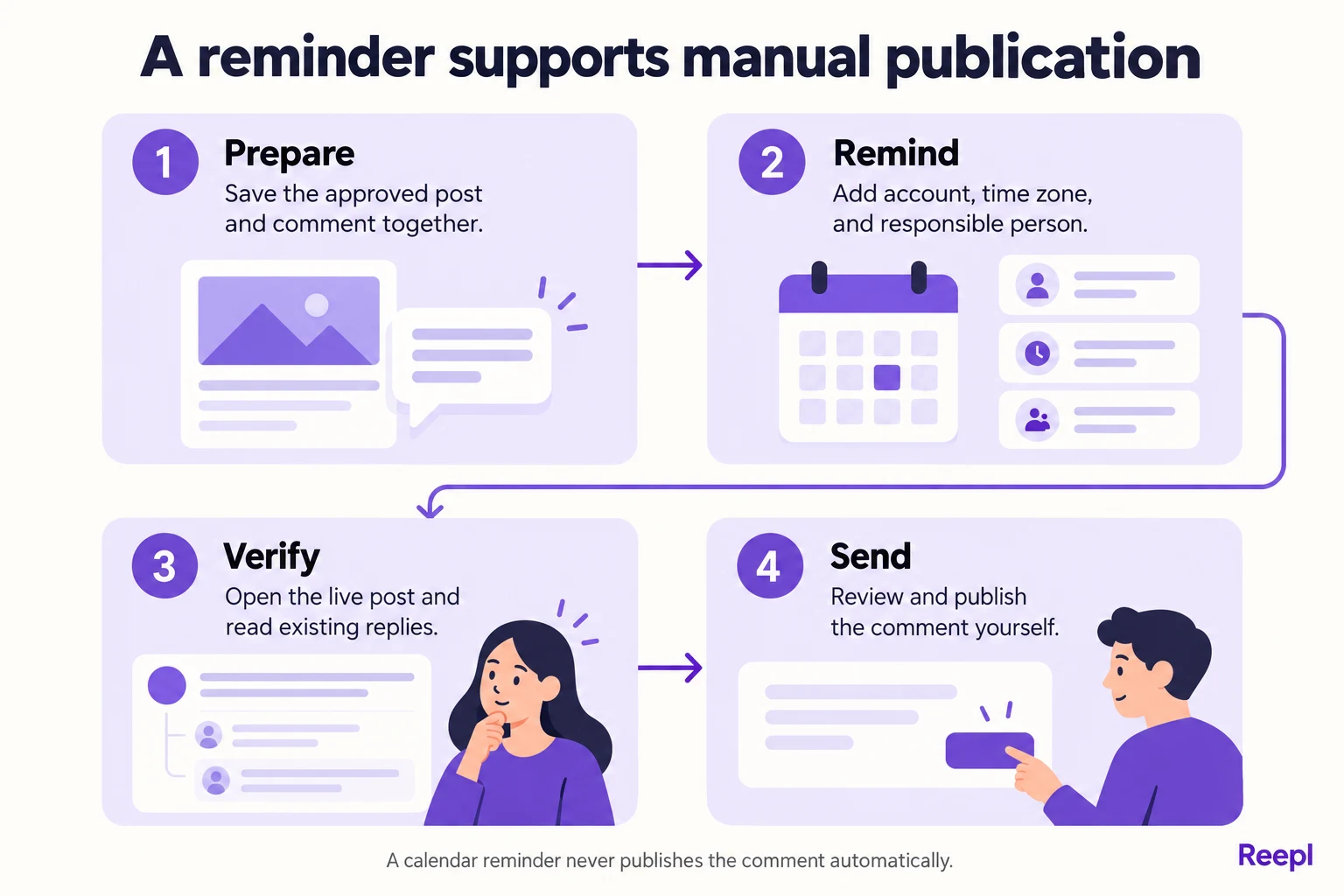
For this workflow, LinkedIn® first comment scheduling means preparing the comment and scheduling a reminder for manual publication. The calendar notification does not publish anything.
You open the live post, review the text, and send the comment yourself.
Use your existing calendar or task manager. There is no need to introduce another tool solely for this step.
Plan a brief check when you expect to be available, and adjust it to your actual schedule.
- Finish the post first. Confirm the main point, source attribution, and reader action.
- Draft the comment beside it. Store both in the same document or editorial record.
- Record the planned publication time and time zone. Use an explicit zone when collaborators work in different regions.
- Create a reminder shortly after the planned post time. Choose a buffer that gives you time to check publication and fits your day.
- Attach the comment and identifying details. Include the account, opening line, source links, and person responsible.
- Open the published post when reminded. Confirm that the correct version is live on the correct account.
- Review and publish the comment manually. Check whether another reader has already raised the same issue.
- Mark the task complete. Add the live post link to the editorial record for future reference.
As an illustrative planning allowance, reserve 10 minutes for the check and comment. That is a calendar choice for your own schedule; the platform sets no such requirement.
If the main post moves, move the reminder too. A reminder tied to an old publication time can send you looking for a post that does not exist yet.
This is especially easy to miss when a teammate reschedules a whole week’s content.
What should the reminder contain?
A reminder should let you complete the task without searching through several documents. Give it a clear title and enough context to identify the post even if its publication time changed.
Copy this planning card into a calendar description or task:
Task: Review and manually publish the supporting comment.
Account: [person or organization].
Post opening line: [first sentence].
Planned publication: [date, time, time zone].
Reminder time: [date, time, time zone].
Comment purpose: [source / context / discussion].
Approved comment: [complete draft].
Source or asset: [checked destination].
Responsible person: [name].
If delayed: confirm the new post time and move this reminder.
Completion: record the live post link after sending.
For a team, assign one person to the task. Shared responsibility can produce duplicate comments or leave everyone assuming somebody else handled it.
A backup can monitor the task status without having two people prepare to publish simultaneously.
Keep the comment draft readable in the reminder itself. An attachment can hold longer research, but the person publishing should not have to reconstruct the final wording from scattered notes.
What does the full workflow look like?
Here is a hypothetical example for an agency lead. The agency lead wants to publish a practical post about client approvals and add an optional checklist.
Illustrative post draft:
A deliverable is not ready to send if nobody knows who approves it.
Before sharing work with a client, write down three things: what needs approval, who approves it, and the feedback date.
“The client is reviewing it” describes activity. “The client’s brand lead will approve the homepage copy by Thursday” describes responsibility.
Start with one project this week. If you cannot name the approver, settle that before adding another review round.
I’ll add a simple checklist below for anyone adapting this process.
Illustrative comment draft:
The checklist:
What exactly needs approval?
Who has authority to approve it?
When is feedback needed?
What does the approver still need to see?
If feedback slips, who needs to know?
When several people give feedback, name the person who gathers it as well as the final approver.
The agency lead schedules the post for 09:00 in their working time zone and creates a 09:10 reminder. Both times are examples, chosen because the agency lead is free then.
At 09:10, the agency lead opens the profile and checks publication. If the post is live, they read any existing responses and add the checklist themselves. If publication failed, they resolve the post first and reschedule the comment task.
Suppose a reader has already asked how feedback from several people fits the framework. The agency lead answers that reader directly and still adds the checklist as a separate supporting comment. The prepared wording is a starting point; the live conversation decides what is useful now.
What can go wrong with a first-comment plan?
The most common editorial problems are missing context, missed reminders, and comments that merely repeat the post. You can catch each one with a quick review before sending.
Promise “link below” only when someone owns the task of adding it. If the resource is essential and you cannot return after publication, include it in the post.
A missed reminder should not make the post unusable.
Check access to any linked resource. A useful worksheet behind an unexpected sign-in screen may frustrate readers.
If registration is required, say so. If the document contains internal notes, prepare a public version before sharing it.
Your opening comment may not be the first thing every reader sees beneath the post. Make the post self-contained, and write the comment so its purpose remains clear wherever a reader encounters it.
Avoid duplicate publication after an interruption. If you are unsure whether you already sent the comment, check the live thread before trying again.
An incomplete task in your calendar can mean you sent the comment and forgot to tick it, so trust the live thread.
Finally, keep the wording personal. Our voice training workflow can help you replace generic phrasing with language you would actually use.
Before sending, verify the post is live and the comment still fits the discussion. Preparing text in advance still leaves the sending to you: a reminder never sends the comment.
Does putting a link in the first comment improve reach?
Place a link where the reader needs it and where you can reliably publish it, and test placement on your own posts before you believe any reach claim. An essential registration link belongs where someone can complete the promised action, even if that means including it in the post.
The LinkedIn® User Agreement, consulted in October 2026, describes recommendations using information about members and content. It contains no universal rule that moving a link beneath a post increases reach, so treat claims about a universal first-comment advantage as unproven unless the evidence actually isolates that change.
If you compare placements in your own publishing, keep the decision modest. Similar topics, audience relevance and measurement windows make the comparison easier to interpret, but organic posts are not interchangeable laboratory units. A stronger opening, different subject or timely event may explain more than link position. Write the test down before you publish:
- Link placement: [in the post / in the first comment]
- Compared with: [a recent post of the same type, for the same reader]
- Outcome that matters: [worksheet visits, registrations, replies]
- Checked at: [the same interval after publication for both posts]
- Anything else that changed: [none, or list it]
Choose an outcome that reflects the purpose. For a public worksheet, recorded visits and successful access matter. For an event, registrations matter more than a large reaction count. A placement that creates friction can be a poor choice even if the post attracts attention.
How should you prepare a source or resource comment?
Check the destination as a reader would before approving the comment. Open the public version, confirm its title and identify the part relevant to your claim. Test whether someone without your account permissions can access it. A link that works only for the document owner is not a usable public resource.
For an illustrative worksheet comment, replace “Here is the template” with “Blank approval checklist: name what needs approval, the approver and the feedback date. The document is public and can be copied. Use the second field when several people give feedback.” Only state those access details after checking them.
GOV.UK's research privacy guidance recommends restricting raw data to people who need access. Apply that distinction when preparing public resources: share a clean worksheet, not the internal research folder that inspired it. Remove private comments, version notes and hidden tabs before testing access.
| Resource check | What to verify | Fix before sending |
|---|---|---|
| Access | A reader can open the intended public version. | Create a shareable copy or explain registration. |
| Relevance | The destination supports the stated claim or task. | Change the description or choose another source. |
| Privacy | No private comments or identifying records remain. | Prepare a clean asset with illustrative data. |
| Currency | The document reflects the current instructions. | Update the asset and the comment together. |
If you use campaign tracking, Google Analytics explains URL parameters for source, medium, campaign and content. Use a consistent content label for the supporting-comment link. Those labels can help identify recorded visits, but they cannot show every reader who saw the comment or prove that the placement caused the visit.
What should you do if the discussion changes before you return?
Read the existing replies before publishing the prepared text. A first-comment draft is an editorial plan, not an obligation to interrupt the conversation with wording that no longer fits. Another reader may already have shared the resource, asked a better question or identified an error in the post.
If a reader supplies a useful counterexample, acknowledge the condition it reveals. Keep essential corrections in the main post where possible, because future readers may never see your reply. Then use the comment to explain the correction and its source. A supporting thread should not carry the only accurate version of a material claim.
The LinkedIn® Professional Community Policies, consulted in October 2026, call for authentic responses and prohibit artificial engagement. A prepared comment that manufactures agreement or asks others to post arranged reactions crosses that line. The point of preparation is to make a useful contribution easier to send yourself.
If another person has taken ownership of the task, confirm who will publish before either person acts. Update the reminder with the final draft and live post link. When publication status is uncertain, inspect the thread before anyone sends a second copy.
For a missed reminder, consider whether the addition still helps. A source note can remain valuable later; an invitation to a completed event cannot. Add useful material when you return without claiming that an arbitrary timing window determines its value. If the post already answers the question completely, mark the task unnecessary and move on.
Keep a short record of recurring problems: broken asset permissions, rescheduled posts, duplicated tasks or essential links missing from the main text. Fix the step that caused the problem. A reliable manual process is usually more useful than an elaborate first-comment plan that nobody has time to complete.
For your next post, choose one useful addition, draft it now, and create the reminder while the context is fresh.
Turn your ideas into useful posts
Draft from your own knowledge, check the facts and keep control of what you publish.