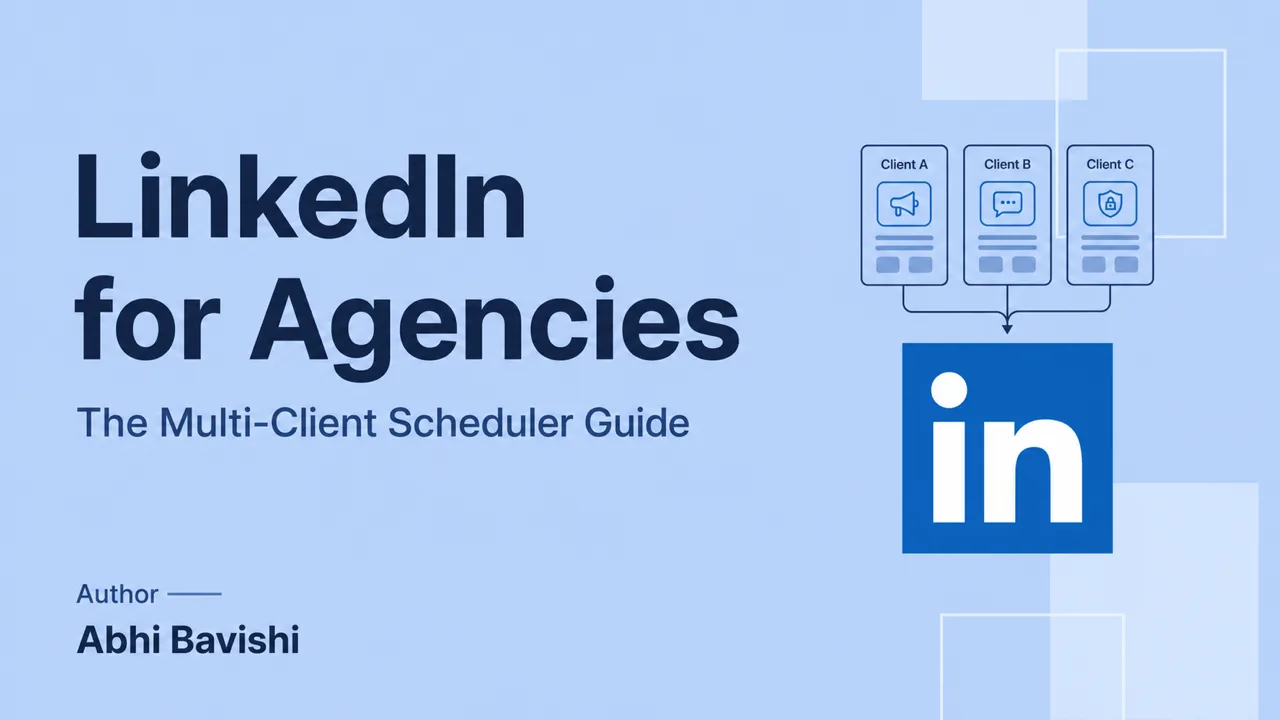
Pick an agency LinkedIn® scheduler by running one real client through it: connect the account through an authorized flow, keep that client's notes and voice in a separate workspace, send a complete draft for approval, revise it, and schedule it in the client's timezone. Buy the tool that handles that loop at your roster's cost.
Key takeaways
- Each client connects their own LinkedIn® account through an authorized flow, and each teammate has their own login, so nobody holds a client's password or session cookie.
- Approval should attach to one complete version of the post: copy, visual, first comment, destination and time together.
- A pilot should plant three failures on purpose: an asset changed after approval, a wrong publishing destination and a disconnected account.
- Price every tool against the roster you expect in six months, then divide the total by active clients and treat that as a service cost.
- Run the week in a fixed order: intake deadline, one client batch at a time, complete review packages, then a portfolio collision check.
The options below approach agency work differently. Choose by your main bottleneck: cross-platform publishing, content production, stricter review, or clearer separation between client voices.
What a LinkedIn® scheduling tool for agencies needs to handle
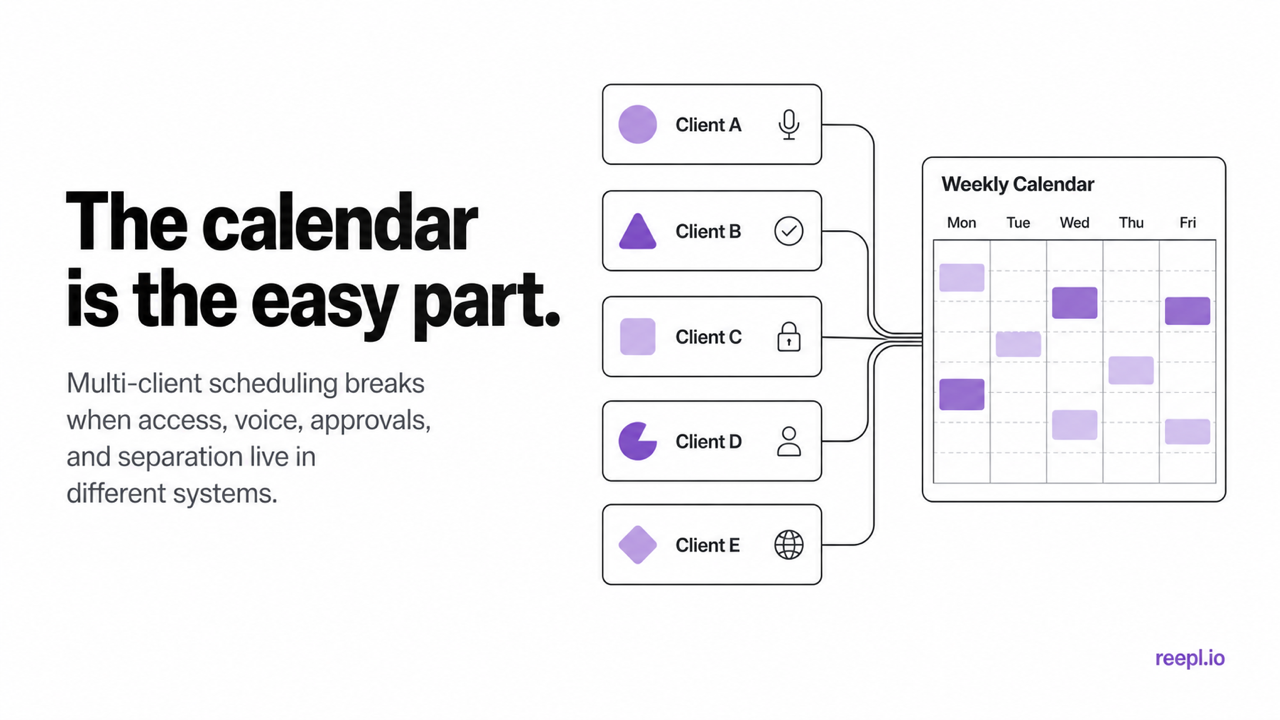
An agency scheduler has to handle six jobs a solo creator never faces: authorized access, client boundaries, an approval trail, per-client voice, per-client timezones and pricing you can forecast. A solo creator can get by with a queue and a preview. An agency manages access, context, review and accountability across a portfolio.
1. Safe account access
Build the agency workflow on authorized connections. Shared LinkedIn® passwords, copied browser cookies, or a browser extension that acts without clear authorization put the client's account at risk. Each client should connect their own account through an authorized flow, and each teammate should have their own login and permissions.
LinkedIn® says connected third-party applications can take authorized actions on a member's behalf and that members can review or remove those services in their settings. LinkedIn® separately prohibits unauthorized tools that scrape or automate activity on its website. An OAuth connection removes the need to hand an agency a password or session cookie, and the platform rules still apply to everything the tool does. Insist on that baseline. See LinkedIn®'s guidance on account responsibilities in the User Agreement and automated activity.
2. A hard boundary between clients
A tag is useful for filtering. It is not a client boundary. A good agency setup gives each client their own connected account, content context, drafts, queue, analytics, and access rules. The practical test is simple: could a new writer open Client A and accidentally use Client B's notes, voice, or publishing destination? If the answer is yes, the setup is too loose.
The client boundary is also your confidentiality control. One client's launch dates, interview notes and unpublished drafts should never be visible to another client's writer or approver. Check this with a test login before any real source material goes in.
3. An approval trail that lives beside the draft
Screenshots in Slack work until two people edit different versions. Email threads are worse. The scheduler should keep the draft, reviewer feedback, status, and scheduled time together. At minimum, the flow needs pending review, changes requested, approved, and rejected states, plus a record of who made the decision.
Ask one awkward question during a demo: can a client approve without also gaining permission to publish from somebody else's profile? Approval and publishing authority are not the same thing.
4. Voice and context that change with the client
Two clients in the same industry should not sound like two variations of the agency founder. If AI helps with drafting, its source material and writing instructions need to change when the workspace changes. Look for voice profiles built from that client's own writing, not a single account-level tone selector that follows every writer around.
5. Scheduling in the client's timezone
The calendar should display the timezone clearly and let the team save a cadence per client. A London founder, a New York consultant, and a Singapore CEO should not inherit one agency-wide posting slot.
6. Pricing you can model before the next client signs
Agency software usually charges by connected channel, profile, user, client workspace, or some combination of them. Any of those models can work. The surprise is what hurts.
Price a tool against the roster you expect six months from now. Include team seats, client approvers, connected personal profiles and Pages, AI usage, and any reporting add-ons. Then divide the total by active clients. That number belongs in your service margin, just like a designer or subcontractor.
Use one line per tool so the comparison stays honest:
- Monthly subscription for the plan with the permissions you need: [amount]
- Extra team seats and client approver seats: [amount]
- Connected personal profiles and Pages beyond the plan: [amount]
- AI usage, reporting or other add-ons: [amount]
- Total divided by active clients: [cost per client]
Which scheduler should an agency evaluate first?
Evaluate first the tool whose strength matches the work you sell. A team running multiple networks needs a different review from a specialist executive-writing practice. The descriptions below reflect the official pages consulted in October 2026; confirm each permission and publishing path in your own trial.
| Option | Strength shown on its official page | Pilot question |
|---|---|---|
| Buffer | Agency portfolio, per-channel pricing, and client approvals. | Can your reviewer approve the complete asset without broad publishing access? |
| Hootsuite | Multi-network operations with team approvals on Advanced. | Which plan includes the governance your contract requires? |
| AuthoredUp | Editing, profile management, analytics, and draft collaboration. | Does the review process match how your writers and clients work? |
| Reepl | Separate client workspaces and voice-based drafting. | Can your team complete intake, revision, and scheduling without cross-client leakage? |
How do those options differ in practice?
The official pages emphasize different things: Buffer its per-channel pricing, Hootsuite its plan-tiered approvals, and AuthoredUp its editor and draft collaboration. Match that emphasis to your cost model and review process.
Buffer’s agency page emphasizes per-channel pricing and unlimited team members on its Team plan. That can fit an agency whose staff changes more frequently than its connected client channels. Include every client destination in the cost model and verify the permissions during a trial.
Hootsuite’s plan page places team content review and approval in Advanced. Its broader social operations may suit organizations coordinating publishing and customer care. Ask for the contract’s exact plan and seats, and confirm that each feature you saw in marketing is in the quoted plan.
AuthoredUp’s pricing page describes an editor, previews, content analytics, and Business-plan draft collaboration across multiple profiles. This is worth testing when writers already have a drafting process and need stronger production support. Evaluate the account connection and approval behavior separately from the editor’s quality.
A weekly scheduling workflow for five, fifteen, or forty clients
Run the agency week in six steps: lock intake, batch one client at a time, submit complete drafts, schedule in each client's timezone, check the whole portfolio for collisions, and feed results into the next batch.
For example, picture an illustrative eight-person agency with a roster of 12 clients: a payroll software founder in London, two law firm partners in New York, a logistics CEO in Singapore, and eight more founders and executives. Two writers each own six clients; one account lead runs approvals and the collision check. The routine below keeps that roster out of Monday status meetings.
| Day | Work | Owner | Done when |
|---|---|---|---|
| Monday | Intake deadline closes; source notes filed in each client workspace | Account lead | Every client has notes or a logged gap |
| Tuesday | Writer A drafts a full week for each of their clients, one client at a time | Writer A | Each client's batch is in review |
| Wednesday | Writer B does the same for the other six clients | Writer B | Each client's batch is in review |
| Thursday | Clients review complete packages; writers handle requested changes | Writers and client approvers | Every post is approved, changed or held |
| Friday | Collision check across all calendars, then scheduling in each client's timezone | Account lead | Next week is queued and the exception log is updated |
Adjust the days to your intake rhythm. Keep the order: drafting never starts before intake closes, and scheduling never happens before the collision check.
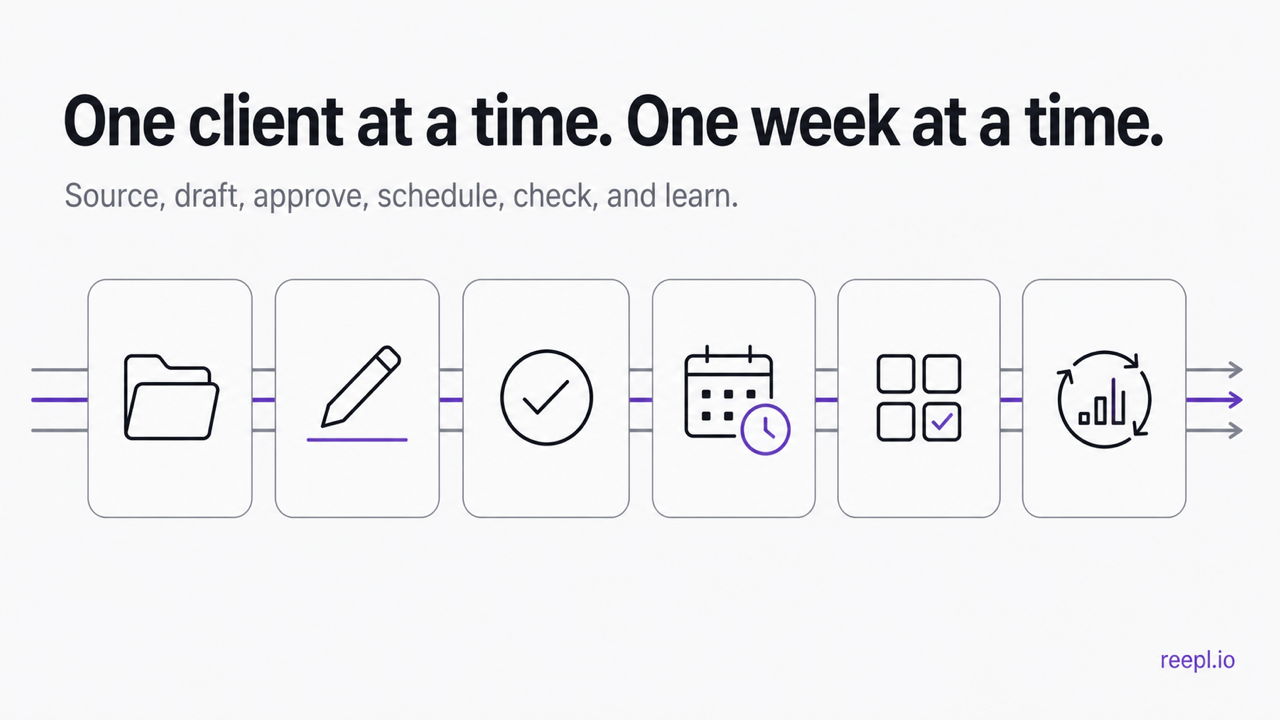
Step 1: Lock the source material before drafting
Give every client one intake deadline for the week. Collect voice notes, call transcripts, campaign priorities, launch dates, and topics in their workspace. Anything that arrives after the deadline goes into next week's backlog unless it is genuinely urgent. Otherwise one late Slack message can reshuffle an entire roster.
Step 2: Batch one client from idea to review
Finish a client's week before switching voices. Drafting five hooks for five different people in one sitting feels efficient, but it encourages the same rhythm and opinion structure to leak across accounts. Staying with one client long enough to finish their batch makes voice drift easier to notice.
Step 3: Submit complete drafts
A reviewer should see the copy, visual, first comment, publishing destination, and proposed time together. If the image is still in Canva and the time lives in a spreadsheet, the approval is incomplete. Keep feedback attached to the draft and send changed work back through the same review state.
Step 4: Schedule in the client's timezone
Save a default cadence per client, then override it when a launch or current event requires a different slot. Use audience data once there is enough history. A global "Tuesday at 9" rule is a useful starting hypothesis, not an agency strategy.
Step 5: Run a portfolio collision check
Before the week starts, scan every client calendar together. Look for two clients reacting to the same news with nearly identical arguments, repeated hooks from the same writer, missing approvals, and gaps caused by a moved post. Some tools provide an all-client rollup; with others, maintain a compact agency planning board that links back to the approved posts.
Step 6: Feed results back into the next batch
Keep reporting weekly and small. Each week, record which topics, formats, and posting windows beat that client's normal range, then use those notes when you plan the next batch. Every client's audience will teach you something different.
Where does Reepl fit in an agency workflow?
Reepl is an AI writing platform that puts your social media on autopilot in your own voice: it finds what to post about, drafts your posts, and keeps your calendar full, and you decide how much it does without asking.
Reepl supports separate client workspaces and voice profiles, so a writer can keep a client’s content context apart from another client’s. It provides post drafting, a content calendar, and scheduling for your own posts. You choose the review settings and remain responsible for the published material. It does not comment or message as the client on LinkedIn®.
Test writer, reviewer, and administrator accounts against your contract before you rely on a workspace's permissions, and promise clients only the approval controls you have verified in the production workflow. Check current agency plans against the client roster and the agency workflow against the service you sell.
Reepl is not a white-label platform. A broad social operations suite may be a better choice when your main requirements are cross-network customer care, advanced listening, or an existing enterprise governance process. Choose based on the bottleneck you can demonstrate in the pilot.
What belongs in the client publishing agreement?
Define the approved scope before connecting an account. A publishing agreement should name the personal profile or Page, who can approve drafts, what counts as approval, who may change a scheduled post, and how quickly urgent corrections must be handled. “Manage our social media” is too broad to settle a dispute about a founder’s personal opinion.
Separate editorial approval from account access. The LinkedIn® User Agreement and the automated activity guidance set the account rules, so the agreement should state that the agency connects through authorized methods only and that access covers only the agreed actions.
Record what happens when an approver is absent. The safest operational default is that an unapproved post waits. If the client wants preapproved recurring categories, define those categories explicitly, including excluded topics such as financial forecasts, hiring decisions, litigation, and personal client stories. A deadline should never silently turn into permission.
Get permission before naming anyone. If a post mentions the client's customers, employees or partners, the client confirms in writing that each named party has agreed, and that confirmation sits beside the draft. Without it, the post waits or loses the name.
A one-page agreement can follow this template:
- Publishing destination: [personal profile or Page]
- Approver: [name]; backup approver: [name]
- Approval means: [the complete package, including visual and time]
- Who may change a scheduled post: [names]
- Urgent correction window: [a time you can staff, for example same business day]
- Excluded topics: [forecasts, hiring, litigation, client stories without permission]
- Offboarding: [what the agency keeps, deletes and hands over, and how access is removed]
Agree on retention and offboarding while the relationship is calm. List what the agency keeps, what it deletes, what the client receives, and how connected access is removed. The handover should include scheduled content, asset ownership, original source material, and any posts whose publication depends on a future event.
How do you run a scheduler pilot with a realistic failure?
Run the pilot on a test draft and plant three failures: an asset changed after approval, a wrong destination and a disconnected account. A tool that surfaces all three clearly is ready for more clients. The exercise below is illustrative. Use a test draft with the client’s permission and keep it unpublished until the workflow is proven.
Take the payroll software founder from the hypothetical roster above. A writer prepares a post from an approved interview note. The client requests a change to the product description. After approval, the writer notices the attached graphic still contains the old description. The pilot must establish whether changing that asset clears approval, warns the reviewer, or silently leaves the post scheduled. Write down what you observe; a feature name will not answer the question.
Next, change the publishing destination. A founder’s personal statement should not become a company Page statement without review. Verify that the queue shows the destination beside the content, and that the agency’s final check catches a mismatch. Then move the date across a timezone boundary and check the client’s displayed local time.
Finally, simulate a disconnected account and a missed approval. The publishing owner should see a clear failure or pending state, know who must act, and avoid duplicate publication after retrying. If the tool cannot represent one of these situations, document the manual control your agency will use. A limitation you know how to manage is better than a feature claim nobody tested.
Keep the pilot evidence simple: the original draft, requested revision, approved version, scheduling record, and observed result. Ask a teammate who did not run the pilot to follow those records. If they cannot tell what will publish and why, the approval trail needs work.
How should an agency measure production quality?
Measure coordination separately from post performance. Track time waiting for source material, time waiting for approval, revisions after approval, missed publication, and avoidable cross-client corrections. These operational measures explain why an apparently inexpensive scheduler can consume staff time.
Compare each client only with their own history. An established executive account and a newly launched founder account start from different places, so a gap between them says nothing about the scheduler. Record what was published, which audience it addressed, and whether it led to relevant conversations or a client-defined business action.
Use a compact exception log with one row per issue:
| Client | Draft | Issue | Owner | Resolution | Prevention step |
|---|---|---|---|---|---|
| [client] | [draft ID] | [for example, graphic approved separately from copy] | [name] | [what fixed it] | [the process change] |
If late source material repeatedly causes rush approvals, adjust intake timing. If voice corrections dominate, improve the interview brief. If assets are approved separately from copy, revise the approval package. Buying another calendar will not fix an unclear decision process.
During the monthly service review, show one concrete process improvement alongside content outcomes. For example, explain that the client now sees the visual and text together before approving. Avoid presenting a lower revision count as proof of better content without checking whether reviewers simply stopped giving useful feedback.
What does a usable agency handover contain?
A handover should let another authorized teammate continue without guessing. Include the publishing destination, named client approver, timezone, next scheduled items, unresolved revisions, and the location of approved source material. Keep account credentials out of the document. Explain the authorized connection process instead.
For each scheduled item, include the complete asset package and the version that received approval. If a post depends on a product release, earnings announcement, or event, state the dependency and who will confirm it. A date alone is not sufficient when the underlying event can move.
Write down the client’s voice boundaries in observable terms. “Warm and professional” is too vague to prevent drift. “Explains technical decisions through customer questions, avoids jokes about competitors, and uses plain descriptions of limitations” gives the replacement writer something to apply. Include a small set of permissioned examples and explain why each represents the client.
Also document the escalation path. If a scheduled post becomes inappropriate because of breaking news or a client incident, someone must have authority to pause the queue. Name the backup when that person is unavailable. Write it down, so the replacement writer never has to infer urgency from an old chat conversation.
On the last day of the pilot, ask the backup owner to identify the next post, its approver, and its cancellation path. Then ask them to locate the approved asset without help. Any hesitation is useful evidence for improving the handover. Repeat it when a client changes approvers or your process changes.
Run one client through the workflow before you buy
Choose a LinkedIn® scheduler from a one-client test, never from a feature-count screenshot. Connect one client, invite a writer and reviewer, draft a week of real posts, request a change, move a scheduled slot, and export the result. That short test exposes weak permissions, muddy voice controls, and hidden pricing faster than a polished demo.
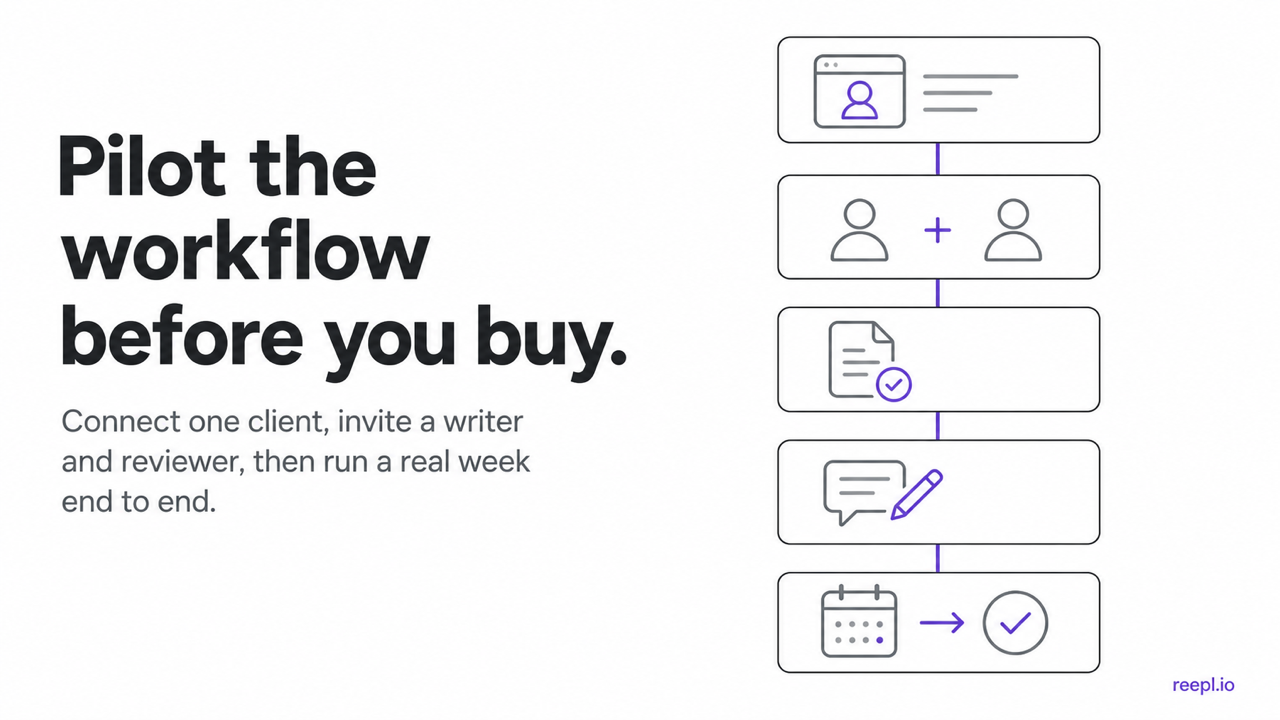
Choose the system that addresses a bottleneck your team can demonstrate. Keep the approved copy, assets, review record, and intended destination easy to inspect. A pilot should reveal where manual coordination remains and whether the team can manage it consistently before expanding to more clients.
How do you keep emergency changes reviewable?
An urgent correction needs a shorter path, not an invisible one. Name who can pause publication and who can approve a replacement. Record the reason for the change and identify the final asset package so the next shift does not restore an outdated draft by mistake.
When the immediate issue is resolved, review the process and fix it. Blaming the last person who touched the calendar hides the defect. A missing dependency, unclear backup, or approval separated from its visual is worth fixing. Update the client’s operating note with the concrete change. The next urgent event should require less improvisation because the authority and cancellation path are already understood.
Turn a useful idea into a clear draft
Bring your own context, review the draft, and keep the final wording yours.