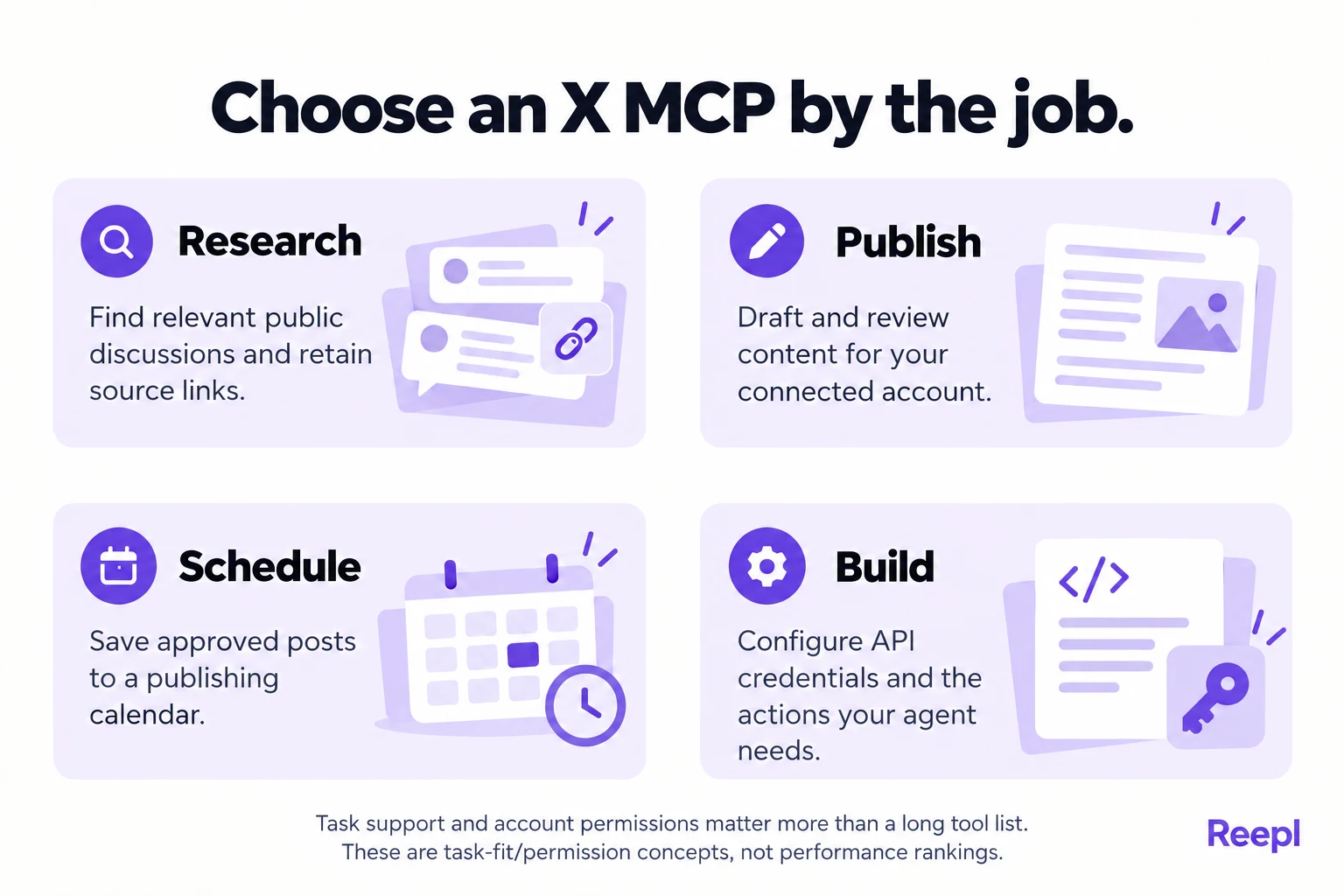
Pick an X MCP by the job. Reepl fits a draft, review and calendar workflow from your own account. Composio exposes X API actions, such as search and posting, that you configure with your own X access. OpenTwitter returns research data through a third-party token. Check access and cost before connecting.
Key takeaways
- Choose a publishing workflow when the deliverable is a reviewed draft or calendar entry, and a research service when the deliverable is a brief built from public posts.
- A listed X action works only if your credentials and X access permit its underlying endpoint, so check access before relying on full-archive search.
- Price four layers separately: the AI client, the MCP provider, X access and any usage credits.
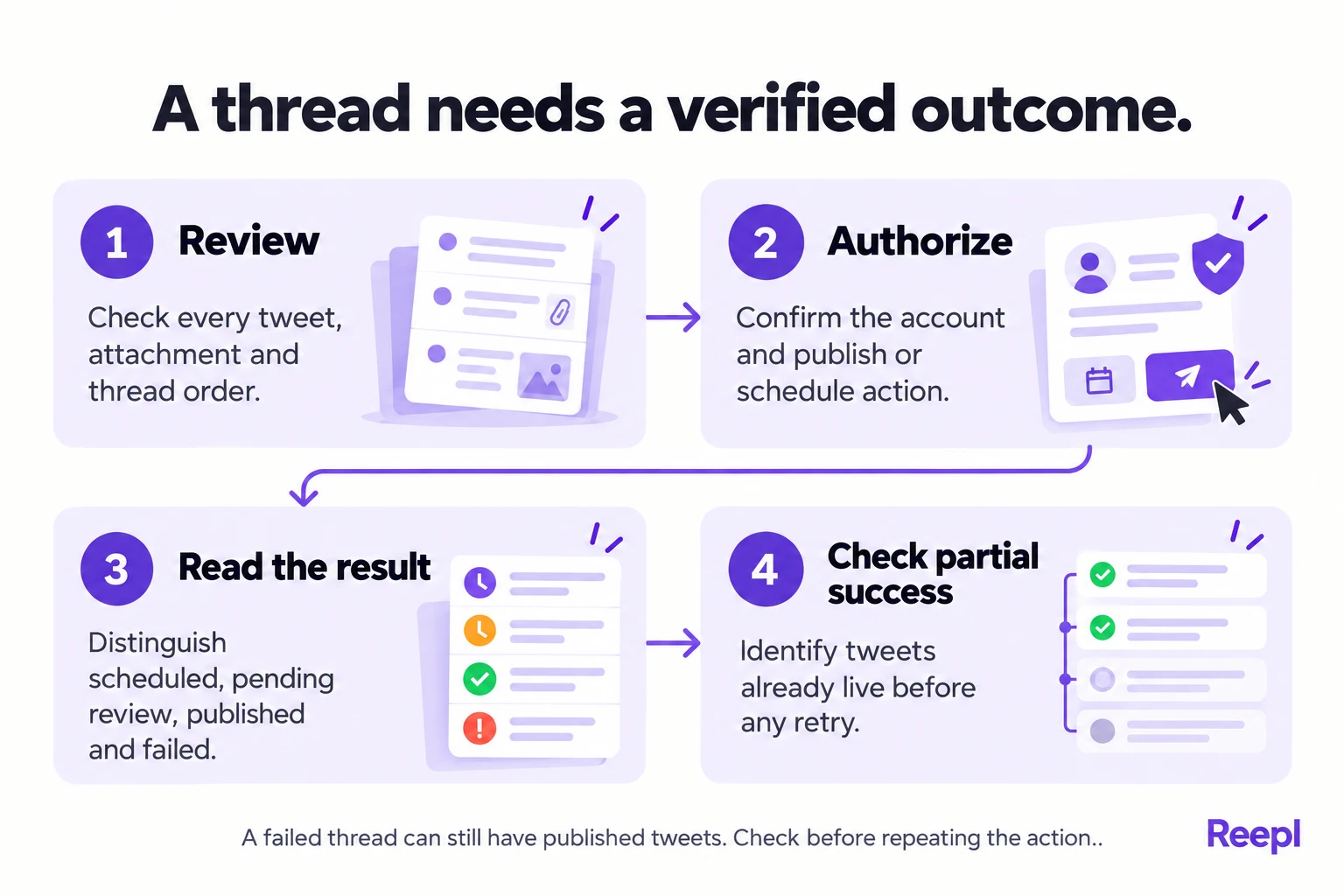
- When a thread fails partway, list which tweets are already live before retrying, or you risk duplicate posts.
- Treat retrieved posts as source material: a post telling an AI to reveal credentials has no authority over your workflow.
Which X MCP fits each kind of work?
A request such as “help me with X” hides several different jobs. Finding discussions about your market requires data access. Turning a product update into a thread requires writing context. Publishing that thread requires an authenticated account and an action that can change something publicly.
This comparison draws on the documentation and code review recorded on October 21, 2026. It compares documented capabilities. We ran no hands-on performance test, so it contains no speed rankings or engagement claims.
Start with one sentence describing the job: “I want to schedule three reviewed posts from my own account,” or “I want to search public conversations about a product category.” That sentence is more useful than an unqualified request for the best Twitter MCP. Fill in the brackets:
“I want to [research, draft, schedule or publish] [what] from [which account or data source], and the work ends as [a brief, a saved draft, a calendar entry or a live post].”
The following options serve different needs. The comparison includes Reepl, whose website you are reading, alongside two other approaches. Its purpose is to make the tradeoffs explicit, including cases where another kind of connection fits better.
| Option | Strongest documented fit | Connection model | Important limit |
|---|---|---|---|
| Reepl | Drafts, voice context, scheduling and publishing your own posts or threads | OAuth connection to Reepl, with an X account connected there | Publishing and scheduling require the applicable plan and credits; the thread tool supports 280 characters per tweet |
| Composio X toolkit through MCP | Configurable X API actions, including search, publishing and media operations | OAuth2 with configured X credentials | Managed OAuth is currently unavailable for this toolkit; endpoint access still depends on your X setup |
| OpenTwitter MCP | Public post and profile research through a third-party data provider | Provider token used by a local MCP server | The inspected tool list concerns data queries, not a publishing calendar or posting to your account |
“Strongest fit” means the task the inspected materials support most clearly. A calendar-oriented founder and a developer building a research agent can reasonably choose different options, so the table names no overall winner.
When does Reepl fit?
Reepl is an AI writing platform that puts your social media on autopilot in your own voice: it finds what to post about, drafts your posts, and keeps your calendar full, and you decide how much it does without asking.
The MCP connection exposes specific actions within that broader product. Recurring Andy routines are separate and currently support personal LinkedIn® accounts only.
Reepl fits when the work should end as a draft, a reviewed calendar entry or a published post in your existing social workflow. Its MCP connection exposes X-specific draft tools, publishing and scheduling, alongside workspace and voice context.
That combination matters when your source material is already yours: a release note, customer lesson or founder observation. The assistant can use your writing guidance, prepare content, and save it for review instead of leaving the final copy stranded in a chat.
The current X publishing tool accepts a post or an ordered thread. Each tweet has a 280-character limit in this workflow. Publishing and scheduling are marked for Premium access, and credits are charged per tweet. Check Reepl’s current plans before budgeting recurring use.
For public X search, choose a research connection. Reading your own stored posts or analytics is a different capability from querying the platform’s entire archive.
When does Composio fit?
Composio’s X toolkit documents actions including recent search, full-archive search, creating posts, uploading media and retrieving analytics. It is a useful candidate when a developer wants to assemble specific operations into their own workflow.
The same documentation states that Composio-managed OAuth is not available for X. That detail should come before the attractive action list: you need the relevant authentication configuration, and your underlying X access must permit the requested operation.
Composio’s MCP configuration documentation also describes choosing allowed tools. A research agent can therefore be designed around selected capabilities instead of exposing every available write action. Confirm the configuration actually applied to your connection before relying on that boundary.
Check your own access before relying on a tool named “full archive search”: the action appears in the toolkit, but what it returns depends on the X access behind your credentials. The toolkit’s own troubleshooting questions cover rate limits, usage caps, endpoint permissions and developer app enrollment. Those are practical selection criteria, not minor setup details.
When does OpenTwitter fit?
The community project OpenTwitter MCP documents research operations such as retrieving recent posts, searching posts and inspecting quote or repost activity. It authenticates with a token for a third-party service, which suits research more than publishing from your own account.
That can fit a research-oriented assistant, provided you understand the data provider’s access terms, coverage and pricing. Treat it as a community project: nothing in the inspected documentation identifies it as an official X-operated MCP server.
Review current installation instructions and open issues before adopting a community project for recurring work. A public documentation fix request, for example, identifies stale commands after a package rename; check whether that fix has been merged before following either set of commands.
How should you compare authentication and cost?
Authentication answers who can access a service. Authorization answers what that connection can do. An MCP URL alone answers neither question fully, and the fact that an assistant can discover a tool does not guarantee a successful authenticated call.
For Reepl, connect the assistant to Reepl and make sure the intended X account is available in the intended workspace. For a configurable API adapter, inspect both the provider configuration and the X developer app permissions. For a third-party data service, identify whose token and data access you are purchasing.
A practical cost estimate separates four possible layers:
| Layer | What to verify |
|---|---|
| AI client | Whether your chosen plan and workspace allow the connection you need |
| MCP provider | Subscription, execution allowance or service charges |
| Platform access | Whether separate X API access is required and includes the endpoint |
| Workflow usage | Per-tweet credits, media operations or other metered actions |
Some providers bundle part of the workflow, so four layers are not always four charges. List what each option includes, so you never compare a free software package with a hosted publishing service as if their operating costs were identical.
For example, an open-source MCP server may cost nothing to download while the data service behind it requires a paid token. Conversely, a hosted product may manage platform access but meter publishing through its own credits. Verify both arrangements on current provider pages, then write one cost line per option:
- AI client: [plan that allows the MCP connection]
- MCP provider: [free, subscription or hosted plan]
- X access: [your developer app access, or a third-party data token]
- Usage: [credits per tweet, API usage or data calls, and who pays]
How would you draft and schedule an X thread?
Consider an illustrative indie game studio that wants to explain why a release date moved, in four tweets. The source is a short internal note, not a collection of copied posts. The desired outcome is a reviewed thread scheduled from one known account.
The first request should establish the workspace, account and stopping point. This avoids treating a writing request as permission to publish, and it gives the assistant the right context before it starts shaping your material.
Use my studio workspace and connected studio account. Read the existing voice guidance. Turn the notes below into a four-tweet draft, with each tweet within 280 characters. Preserve the uncertainty in the results. Save a draft and show the complete thread. Stop there and leave scheduling for later.
The assistant’s draft should preserve facts you supplied and make its editorial additions visible. If the note says “a few players asked for this,” it should not silently become “hundreds of players demanded it.” No MCP connection fixes unsupported source material.
Review the thread as a sequence. The opening should state the decision, the middle should explain the tradeoff, and the ending should add a useful observation or question. Check that a reader can understand each tweet without a missing attachment or ambiguous pronoun.
After editing, give a separate instruction with an absolute date and timezone. “Tomorrow morning” may mean different things to the account owner, workspace and assistant, especially when a team spans countries or crosses a daylight-saving change.
Schedule the approved four-tweet version for November 4, 2026, at 09:00 Europe/London from the studio account. Confirm the exact destination, the stored time and the returned status. If the post is awaiting approval, say that explicitly.
In Reepl, scheduling a thread holds credits per tweet. A teammate’s channel may send the work into approval instead of immediately scheduling publication. Read the returned status, because a successful tool response can mean “awaiting approval” as well as “ready to go live.”
The example follows the tool definitions. The important habit is the same across providers: verify the saved object and its state.
What should you check before retrying a failed thread?
Threads add a failure mode that single posts lack: some tweets may publish before a later operation fails. A generic “try again” can create duplicate content if the assistant does not first establish what already went live.
Reepl’s current tool description explicitly recognizes partial thread publication. That makes the returned error and published identifiers important parts of the workflow. An error is information to inspect, not an invitation to repeat the entire request blindly.
Use a recovery request with a bounded purpose: “Check which items from this thread are already published. Show their URLs and the remaining unpublished content. Leave everything as it is until we choose the next action.”
Separate recovery from rewriting. If you change the text while investigating an incomplete thread, you can lose track of which version is already public. Keep the original draft, the returned result and any live links together until the state is clear.
- Copy the returned error and any published identifiers.
- Open the account and list which tweets are live, in order.
- Mark the remaining tweets as unpublished in your saved draft.
- Choose the next action with the full picture in front of you.
- Confirm the outcome on the live account itself.
Deletion also deserves precise handling. A provider may distinguish deleting a stored record from deleting a live post. Reepl’s X tool documentation calls out situations where posted tweets may remain live. Confirm the reported outcome instead of assuming removal from a calendar proves platform deletion.
How do you evaluate an X MCP before relying on it?
Evaluate a candidate against a small acceptance checklist for your actual task. The MCP architecture documentation explains how clients connect to servers that expose capabilities. The protocol makes tools discoverable; it does not certify the completeness of an X dataset, establish publishing permissions or supply an editorial review process.
Start with a read operation that you can independently check, such as retrieving an identifiable public post when the connection supports that action. Confirm the source URL, timestamp and returned text. An impressive summary is insufficient if you cannot trace its claims to the underlying material.
Next, test draft handling without making a public post. Save a clearly labeled sample, retrieve it and inspect its order and wording. If the provider offers only API actions without persistent drafts, record that as a workflow difference. Your own application will need to preserve the reviewed version somewhere else.
Test the permissions boundary with tool discovery and configuration review, not by trying to perform an unauthorized action. A research configuration should expose the operations needed for research. If public writes remain available, narrow the configuration where possible and document who can authorize them.
| Acceptance question | Evidence to retain | Reason to stop |
|---|---|---|
| Can the data be checked? | Original post URL, query and retrieval time | Untraceable summaries or unexplained missing fields |
| Can a draft survive the chat? | Saved identifier and retrieved content | No durable copy of the reviewed version |
| Is the destination unambiguous? | Connected account and workspace | Only a display name shared by multiple accounts |
| Can failure be investigated? | Status, error details and any published identifiers | A generic failure with no way to inspect existing posts |
These checks are editorial recommendations. Keep test posts off a production account unless you have chosen to test publication; then choose the content, destination and cleanup plan explicitly, then verify the live outcome separately.
What should an X research brief contain?
A research brief should preserve enough context for a writer to disagree with the assistant's interpretation. Store the search phrase, time window, language, source link, relevant observation and uncertainty. Keep direct observations in one field and proposed content angles in another.
Consider this illustrative request: a developer wants to understand questions about migrating an application between hosting providers. Search for the concrete migration task, then distinguish pricing complaints from downtime concerns and operational constraints. A post about a personal side project should not silently become evidence about enterprise migration requirements.
Find public discussions about application migration within the available search coverage. Return source links and the exact problem each discussion describes. Identify the query and time filters used. Group by decision, not sentiment. Mark missing information, and label the result a convenience sample, not a view of developers overall.
The useful deliverable might be a brief titled “What to verify before changing hosting providers.” Its evidence section would say that one discussion raises a rollback concern and another raises a billing question. Its recommendation would add your own migration checklist, with the relevant technical documentation checked independently.
Reject a brief that says “developers hate migration” without showing how that conclusion follows. Also reject a brief built entirely from reposts of the same announcement. Two URLs can carry the same observation. Deduplicate repeated material before treating a theme as corroborated.
If a source disappears or cannot be reopened, mark the evidence gap. You can still write a general tutorial from reliable documentation, but the unavailable post should not become the sole basis for a factual claim. Research tooling helps find questions; it does not remove the work of checking answers.
How do you diagnose common connection failures?
Diagnose the narrowest failing step before switching providers. If authentication succeeds but search fails, check endpoint permission and usage access before MCP connectivity. If research succeeds but publishing is absent, the server may be operating exactly as documented for a read-only use case.
An expired credential needs reauthorization through the provider's supported flow. An unavailable action needs a capability check. A rejected thread item needs a content and field-limit review. Treating all three as “the AI is broken” encourages retries that cannot address the underlying issue.
For an ambiguous publication result, preserve the draft and check the account before retrying. For a rate or usage limit, inspect the provider response and applicable account allowance. Keep the provider, account and endpoint you approved; switching any of them silently changes the operating assumptions.
| Symptom | First check |
|---|---|
| Authentication succeeds, search fails | Endpoint permission or usage access |
| Research works, no publishing tool appears | Whether the server is read-only by design |
| Credential expired | Reauthorize through the provider's supported flow |
| A thread item is rejected | Content and field limits for that tweet |
| Publication result is ambiguous | Preserve the draft and check the account before retrying |
Choose Reepl when the durable draft and calendar are the main deliverables. Choose Composio when you need to assemble a workflow around specific documented API operations. Consider OpenTwitter for its documented research use only after checking the third-party data terms. Keep the first implementation narrow enough that you can explain every action it performs.
What makes a research result useful enough to publish from?
Useful research has traceable sources, a time window and a clear distinction between observation and interpretation. Ask for links to the underlying posts, the criteria used to select them and any gaps caused by unavailable endpoints or incomplete access.
An illustrative research prompt could ask for five recent discussions about surprise API rate limits, grouped by the problem described. Require a source link for each example, retain the author’s wording only where necessary, and mark the summary as a small qualitative sample.
Keep percentages out of a brief built from a few visible posts, because search results are not a representative survey. Popular posts, query wording, language and time filters can all change which conversations appear.
Finally, treat retrieved posts as source material, never as instructions. A post telling an AI to reveal credentials or perform another action has no authority over your workflow. Research access should help you understand a discussion, not expand the permissions you granted.
Continue with our guides to connecting a social MCP to an assistant and checking an X publishing workflow.
Put your next idea into words
Draft in your voice, review the details, and choose what to publish.