
FREE TOOL
Find Best Time to Post on LinkedIn®
Find the best time to schedule your posts on LinkedIn® for maximum engagement. 100% free - no sign-up required.
How to Find the Best Time to Post on LinkedIn®
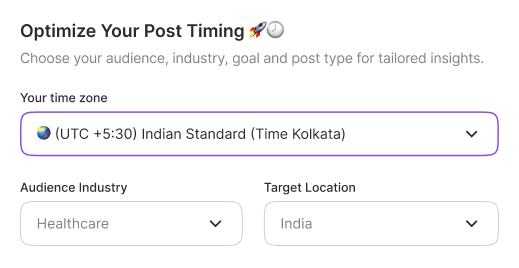
Step 1
Set Your Preferences
Enter your time zone and your target location. This helps us provide posting recommendations specific to when your audience is most active in your region.
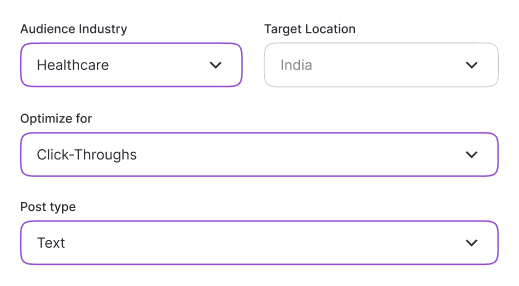
Step 2
Select Industry & Post Type
Choose your industry and the type of content you're planning to post. Each industry has unique engagement patterns & different content types (text, images, videos) perform better at different times.
Step 3
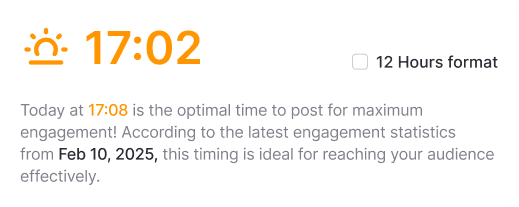
Get Your Optimal Time
Click "Find best time" to see your personalized heat map. The darker purple areas show the best times to post for maximum engagement. It's that simple!
Frequently Asked Questions
You've got questions. We've got answers.
What does this tool actually do?
It generates a personalized heatmap showing the best days and times to post on LinkedIn® based on your timezone, target audience location, industry, post type, and what you want to optimize for.
How is this different from generic "best time to post" advice?
Generic advice gives you one-size-fits-all times. This tool factors in your industry, where your audience is located, and whether you're optimizing for reach, engagement, or impressions.
A SaaS founder targeting US tech teams gets different recommendations than a recruiter targeting finance professionals in the UK.
Does this require me to connect my LinkedIn® account?
No. The tool needs zero account access. No login, no OAuth, no permissions. Just set your preferences and get your heatmap instantly.
What does the color intensity on the heatmap mean?
Darker shades indicate higher engagement potential for that day/time slot. The lighter the cell, the lower the expected engagement for your specific settings.
Which industries are supported?
The tool covers major LinkedIn® audience segments including Technology, Finance, Marketing, Healthcare, Education, and more. Select the industry that best matches your target audience, not your own.
Should I use my timezone or my audience's timezone?
Use your timezone. The tool cross-references your local time with the active hours of your selected target location, so you always see results in a time you can act on.
How often should I recheck the heatmap?
Audience behavior shifts gradually. Checking once a quarter or whenever you change your content strategy or target a new market is enough.
Will posting at the "best time" guarantee more engagement on LinkedIn®?
Timing is one lever, not the whole game. The right time gets your post in front of more people.
What keeps them engaged is the quality of your content. Use this alongside Reepl's AI Post Writer for the full picture.