To find your LinkedIn® voice, collect your best past writing and speech, list the words, rhythms, and stances that keep recurring, and narrow them to three voice traits. Write those traits into a one-paragraph voice brief, then test it by drafting one idea in three registers. Hand AI that brief plus real samples, and edit what comes back.
That is the short version. For the wider case on why AI drafts so often miss, see our guide on whether AI can write LinkedIn® posts that sound human. This one goes deeper on the part most people skip: working out what your voice is before you ask anything to imitate it.
What a LinkedIn® voice actually is
Your voice is not your topic and it is not your tone on a given day. Topics change. Tone shifts between a congratulation and a complaint. Voice is the set of choices that stays the same underneath: which words you reach for, how your sentences move, and what you are willing to say out loud.
A useful way to hold it is three layers. Word choice is the vocabulary and phrases you use, and the ones you refuse to. Rhythm is how long your sentences run, where you break lines, and how you pace a point. Stance is what you believe, what you push back on, and how much of yourself you put in the post. Most posts that feel generic are missing the third layer, not the first two.
This matters more now that AI drafting is everywhere. Metricool's 2025 State of AI in Social Media study found that 96% of social media professionals use AI tools in their workflows. When nearly everyone can produce a clean draft, a clean draft stops being a differentiator. A recognizable voice is what is left.
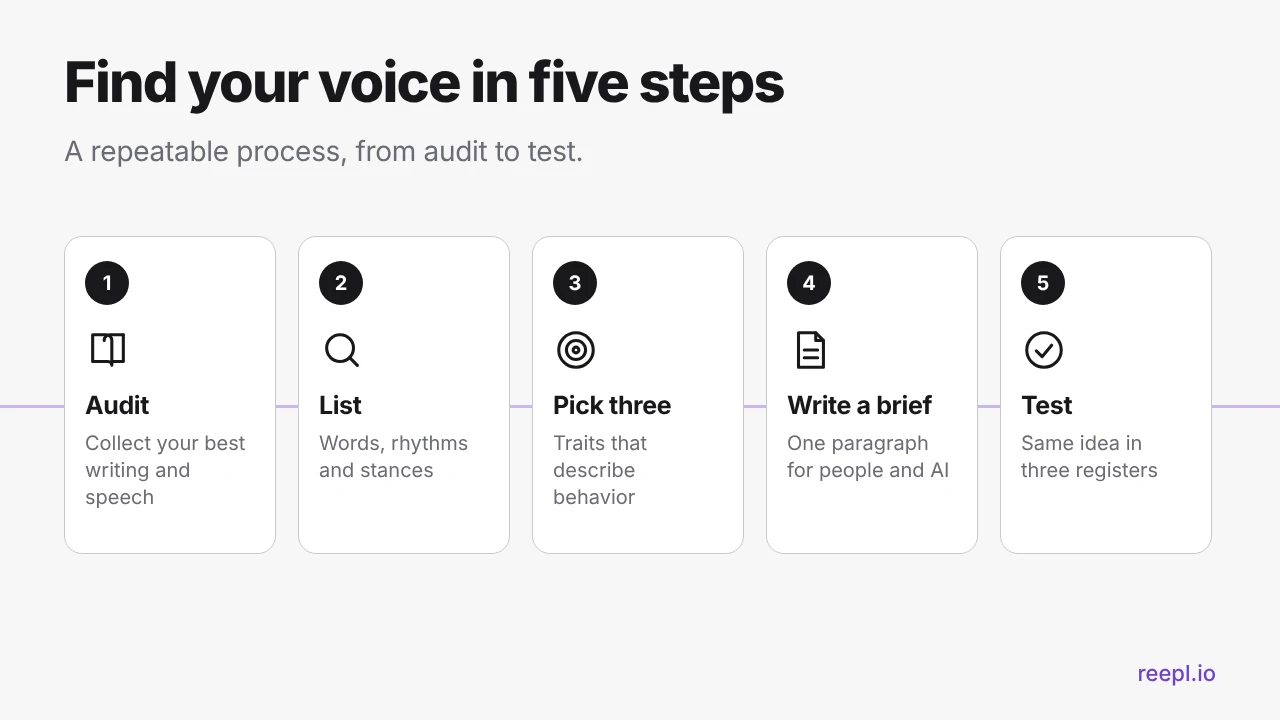
Step 1: audit your best past writing and speech
Do not start by describing yourself. The words people pick for their style ("authentic", "professional", "engaging") fit everyone. Start with evidence instead.
Collect 8 to 12 samples
Pull together writing and speech that you read back and think "yes, that is how I sound". Good sources include:
- Your own LinkedIn® posts that felt natural to write. Choose by how much they sound like you, not by performance.
- Comment replies and DMs where you answered a real person without overthinking it.
- Emails to clients or colleagues that you were happy with after sending.
- Anything you have said out loud, such as a podcast guest spot, a talk, or a call you recorded with permission.
Add speech on purpose
Most of us write more stiffly than we talk. Record yourself explaining your work to a smart friend for three minutes, then transcribe it. The gap between the transcript and your posts is usually where your real voice is hiding: the shorter sentences, the aside you would never type, the blunt way you describe a mistake.
Mark each sample: me or costume
Read each piece and mark it either "me" or "costume". A costume sentence is one you wrote because you thought a LinkedIn® post should sound that way. "I'm thrilled to announce" is a classic. Keep only the "me" samples.
Step 2: list the recurring words, rhythms, and stances
Now read your "me" samples as a detective, not an author. You are looking for patterns that repeat without you trying.
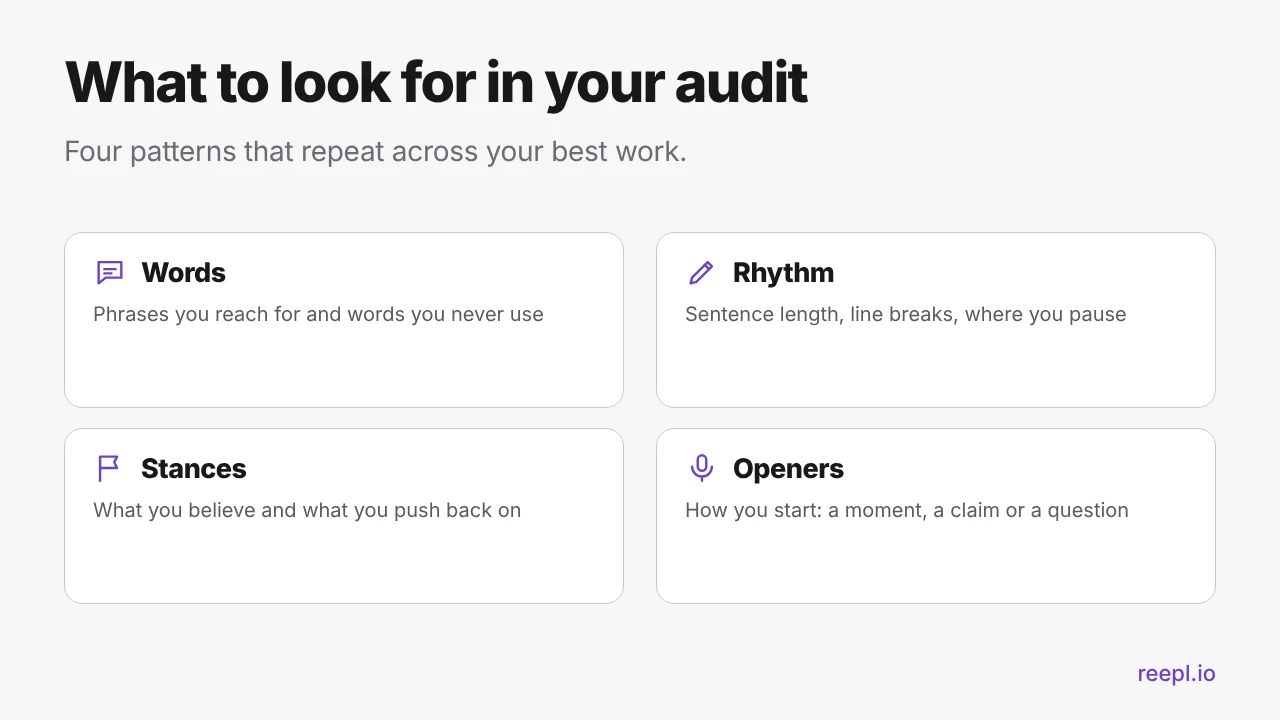
Words
Underline the phrases you use more than once. Note the words you would never say: if you have never written "leverage" or "synergy" in a sample, that absence is part of your voice.
Rhythm
Count roughly how long your sentences run. Do you write in short bursts, or do you let one sentence carry a whole thought? Do you use one-line paragraphs for emphasis? Rhythm is hard to describe but easy to spot on the page, and it is what AI most often flattens into medium-length sentences of the same size.
Stances
Write down the opinions that appear across your samples, even in disguise. What do you push back on? What do you recommend without hedging? Where do you admit uncertainty? A stance can be small. "Most onboarding checklists are too long" is a stance. "Onboarding is important" is not.
While you are here, note your openers too. Some writers open with a moment ("Last Tuesday a client asked me..."). Some open with a flat claim. Some open with a question. If every sample opens the same way, that habit belongs in your brief.
Step 3: pick three voice traits
Three is enough to steer a draft, whether it is written by you on a tired day or by a model. The rule is that each trait must describe a behavior a writer could check. "Authentic" cannot be checked. "Opens with a specific moment instead of a general claim" can.
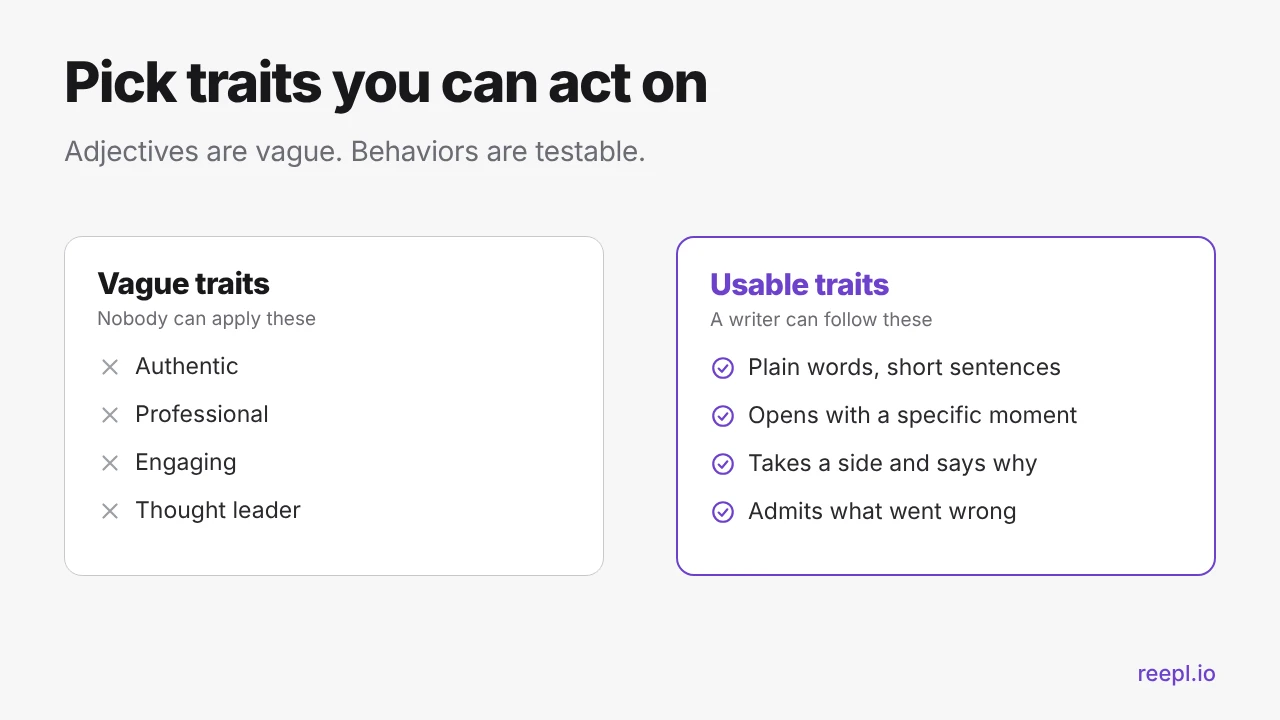
A trait works best in a "this, not that" form, because it tells the writer where the edges are:
- Plain, not simple. Short words and short sentences, but the ideas still carry real detail.
- Specific, not general. A named situation or number from your own work beats "many businesses struggle with".
- Opinionated, not loud. You take a side and explain why, without hype or shouting.
Step 4: write a one-paragraph voice brief
A voice brief is a short paragraph that turns your three traits, your audience, and your no-go list into something you can hand to a person or paste to an AI model. Keep it to a paragraph, not a page.
A useful structure has four parts: who you are writing for, your three traits, how you open and close, and what you avoid. Here is an illustrative example for a fictional independent consultant. It is a template to copy the shape of, not a real client's brief:
I write for founders of small teams who are tired of jargon. I sound like a practical consultant talking to a peer: plain words, short sentences, and a dry sense of humor. I open with a specific moment or a flat claim, never a question. I take a side and say what I would do, and I admit when I got something wrong. I avoid hype words, motivational closers, and emojis.
It has an audience, three behaviors, an opening habit, and a short ban list, and no adjectives like "engaging". Save it somewhere you can paste from.
Step 5: test it with the same idea in three registers
A brief is a hypothesis. To test it, take one idea and write the opening of the post three ways. Same idea, three registers. Here is an illustrative idea: "I stopped offering discounts."
- The teacher: "Discounts teach clients to negotiate. Here is what I do instead."
- The storyteller: "A client asked for 20% off on a Friday afternoon. I said no, and I almost lost her."
- The challenger: "Discounting is not a sales tactic. It is a refusal to explain your price."
Read all three aloud. One will feel like something you would actually say. Another will feel like a costume. The register that survives the read-aloud test is your default, and it should shape your brief. Repeat with two or three different ideas. If the same register keeps winning, your voice is stable enough to describe. If not, go back to step 1 and add more "me" samples.
How to make AI match your voice
Once you have a brief, you can give AI what it has been missing. A model with no context falls back on the statistical average of everything it has read, which is exactly the flat, over-balanced tone people mean when they say a post sounds like AI. Closing that gap takes four moves.
1. Give it real samples, not adjectives
Telling a model to "sound authentic and conversational" gives it nothing to imitate. Paste in a handful of your best "me" posts instead, and say what to copy: the rhythm, the openers, the way you take a side. Tell it to match style, not reuse the topics or phrasing.
2. Give it your voice brief
Paste the paragraph from step 4 at the start of every drafting session. Samples show what you sound like. The brief says why, so the model can apply the pattern to a new topic.
3. Give it a banned-phrases list
Models drift toward certain tics. Name them. Start with the usual suspects, then add your own from the "costume" pile in step 1:
- "In today's fast-paced world" and "let's dive in"
- "I'm thrilled to announce" and "excited to share"
- "game-changer", "unlock", "leverage", and "landscape"
- The "it is not X, it is Y" construction, and closers that end on a generic question to the audience
4. Edit after, every time
Treat the output as a first draft. Replace one generic sentence with a detail only you would know, cut every hedge, rewrite the first and last lines yourself, and read it aloud. Our guide on why LinkedIn® posts sound like AI lists the patterns to hunt for, and the free AI Slop Detector for LinkedIn® can flag them in a draft before you publish.
Worried about how LinkedIn® treats AI-assisted writing? We cover it in does LinkedIn® penalize AI content. A draft you reviewed and rewrote in your voice is a different thing from a prompt pasted straight into the feed.
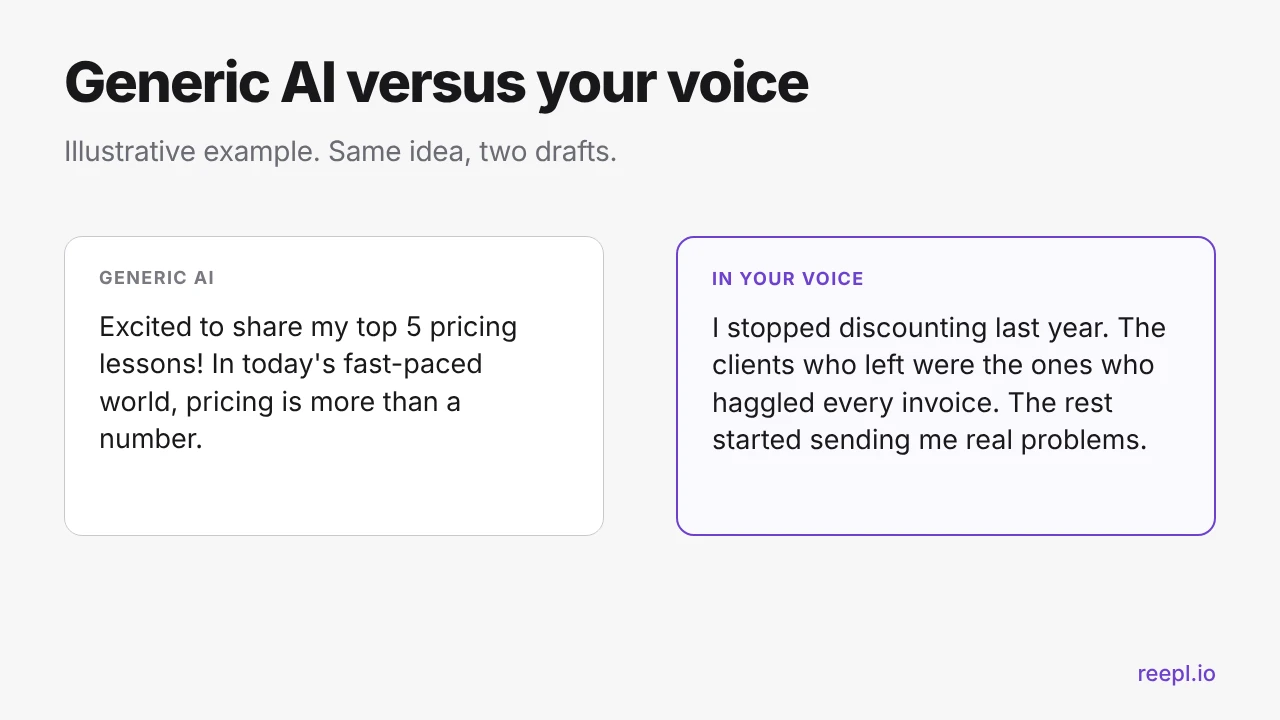
The illustration above is invented to show the pattern, not taken from a real account. The second has an opening moment, short sentences, a stance, and no banned phrases. None of that came from a smarter model. It came from a better brief.
Where Reepl voice profiles fit
You can run the process above with any AI tool by pasting your brief and samples into each session. Reepl's voice profiles are built to take that repetition off your plate.
A Reepl voice profile is a saved voice configuration, covering tone, style, and audience, trained on your past LinkedIn® posts and writing samples. You can keep more than one, and a voice profile can be used by every AI generation surface in Reepl. Agency plans support separate voice profiles per client workspace. The quality improves as you add more writing samples, which is why the audit in step 1 pays off twice: your "me" pile is the right set of past posts and writing samples to bring.
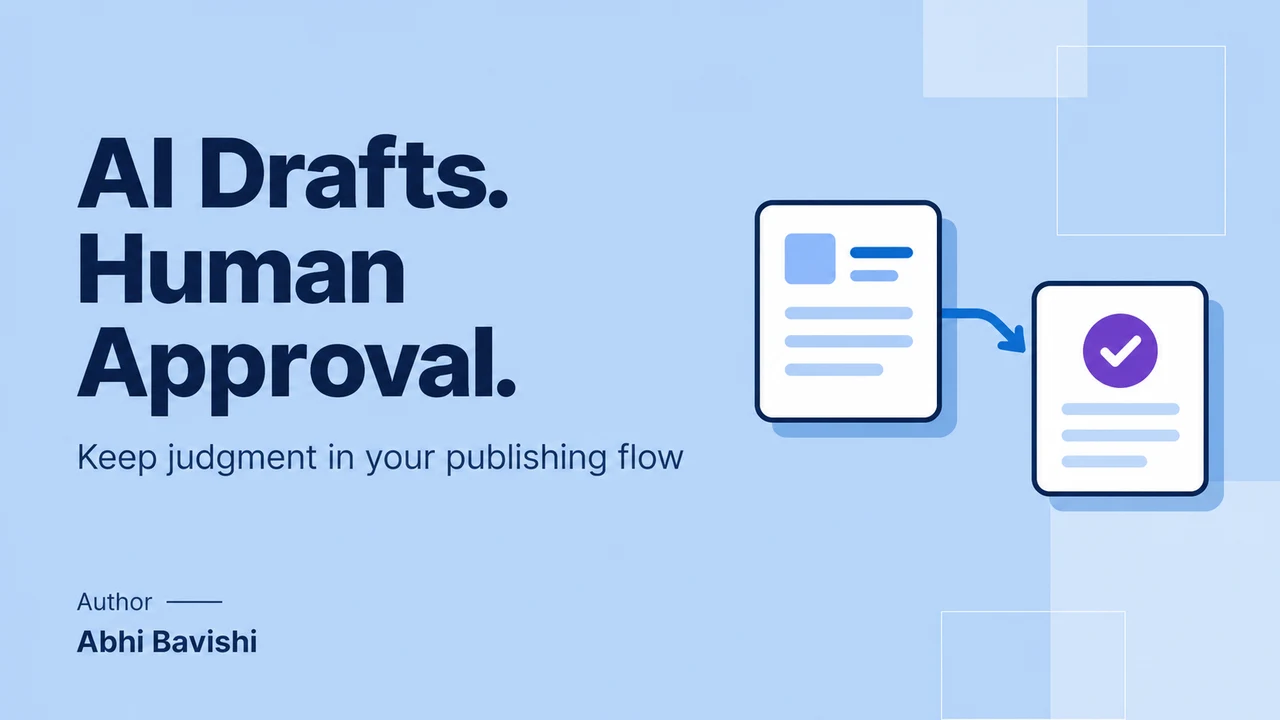
The workflow stays human-in-the-loop. Reepl drafts, and you review, edit, and publish. It does not post, comment, or message on your behalf. A voice profile gets a draft closer to how you sound, but your edit is still what catches a generic sentence.
Reepl has a free plan, which includes 5 AI comments and 5 AI messages per day in the Chrome extension, and Pro is $19/mo. See the pricing page for current plans. You can also try the free AI Post Writer for LinkedIn® to see how a draft changes when you give it a clear topic and context.
Conclusion
Finding your LinkedIn® voice is a small research project, not a branding exercise. Gather samples of how you really write and speak, notice what repeats, boil it down to three behaviors, and write them into a paragraph you can paste anywhere. Then test it on one idea in three registers.
Every draft gets easier after that, whether you write it yourself or have AI draft it first. The voice is yours. The tools just need a clear brief and real examples, and you still decide what goes live.
Draft in a Voice That Sounds Like You
Voice profiles trained on your past LinkedIn® posts and writing samples. Reepl drafts, you review and publish.