Scheduler for LinkedIn®, X and Reddit
Create a full week of content on a lazy Sunday afternoon.
Write the week in one sitting, put each post on the calendar, and Reepl publishes it at the time you set. LinkedIn®, X and Reddit sit side by side, so you see the whole week before it goes out.
7-day Premium trial · Cancel anytime · Publishes via the official API
The Reepl calendar: a week of LinkedIn®, X and Reddit posts side by side.


One post, every channel
Write it once. Reepl shapes it for each channel.
Pick LinkedIn® and X in the same composer and use Sync to X: the post becomes a thread, every tweet under 280 characters, and both land on the calendar together.
- LinkedIn®: text, images, video, carousels as a PDF document, and a first comment
- X: posts, threads and polls
- Reddit: text, link, image, gallery or video posts to a subreddit, with its flair
First comment
Put the link in the first comment. It goes out with the post.
Open More in the LinkedIn® composer and pick Add First Comment, or press ⌘⇧F. Write the comment under your post, schedule as usual, and Reepl posts the comment right after the post goes live.
- Up to 1,250 characters, with a counter as you get close
- Edit or remove it any time before the post goes out
- Already published? Add Comment from the post's menu in your queue
- The Reepl Chrome extension's post editor has a first comment too
AI images
Make the image in the composer. On your brand, from your post.
Open Attach media and pick Generate Image. Reepl reads your post, you pick a quick style, and the image follows your brand kit. Ask for changes in plain words and it generates again.
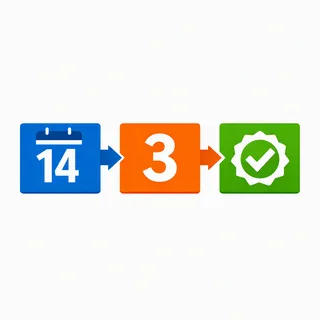
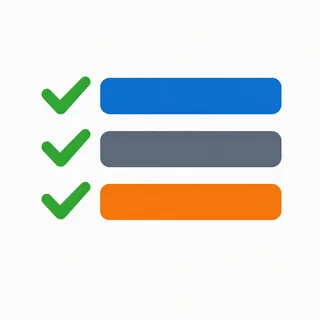
- Nine quick styles: Infographic, Minimal Illustration, Bold Text, Diagram, Flat Design, Comparison, Checklist, Data Viz and Meme, or describe your own
- Up to four images at a time, and every version stays to compare
- Your brand kit is on by default; switch it off for a one-off
- Save the ones you like to your Media Library for later posts
Built-in image generation uses credits on paid plans. On Free, connect your own OpenAI or Gemini key.





The composer
The small things that save a posting session. All in the same composer.
Post versions
Each draft Andy writes for a post is kept as a version. Switch between v1, v2 and v3 from the composer header.
Autosave
Drafts save as you type. Edited in two tabs or on two devices? Reepl keeps the latest and saves the other as a draft.
Export as image
Download a written post as a PNG from the composer's More menu.
Tweet screenshot
Turn a tweet into a clean screenshot and attach it to your LinkedIn® post.
Media library and GIFs
Save images and GIFs to reuse in any post, or search Giphy and attach an animated GIF.
Image crop
Crop an image in the composer before it goes out.
Quote tweets
Quote another tweet in your X post from the X composer.
Combine drafts
In Drafts, pick one draft per channel and combine them into one post for every channel.
Retry and re-post
Retry Now sends a failed post again. Re-Post opens a published LinkedIn® or X post to schedule it again.
Reddit media
Post up to 20 images as a gallery, a video or a GIF to a subreddit, from the same composer.
Search with ⌘K
Find a draft, a scheduled or published post, a setting or an action from anywhere in Reepl.
Empty days
Let Andy draft the gaps. You still decide what ships.
Set a Routine and Andy drafts posts for your personal LinkedIn® profile on the days you choose. By default each draft waits in Approval until you approve it and pick its slot.
- Choose the days, how many drafts a day and the sources Andy reads
- Send for review, save as drafts, or schedule directly: you pick the flow
- Topics Andy avoids are learned from the drafts you reject
Routines are on Pro and above.
The details
Everything that keeps the week on time. Nothing you have to babysit.
Your posting schedule
Set preferred days and up to five times a day. The queue offers those open slots first, and 9 AM or 5 PM when you have none.
Best time to post
When you schedule, Reepl suggests a time for your industry, region and kind of post.
Drag to reschedule
Move a post to another day or time in the Month or Week view of the calendar.
One queue
Drafts, Queued, Published and Approval tabs, for every account in the workspace.
Approvals
Request changes with feedback, or approve and confirm the slot in one step.
Your timezone
Every time is shown in your timezone, detected from your browser or set by hand.
Questions, answered.
What people ask before they schedule their first week.
Scheduling
A post you schedule publishes at the time you set, through the official LinkedIn®, X and Reddit APIs with the account you connected, so you do not need to be online. Nothing else goes out on its own: a draft stays a draft, and a post sent for approval waits until a reviewer approves it.
On LinkedIn®: text, images, video, carousels (sent as a PDF document) and a first comment. On X: posts, threads and polls. On Reddit: text, link, image, gallery (up to 20 images) and video posts to a subreddit, with flair. They all sit on the same calendar.
Write your post in the Reepl composer, open the More menu and pick Add First Comment (or press ⌘⇧F). Type the comment in the box under your post, up to 1,250 characters, then schedule the post as usual. Reepl publishes the post at the time you set and posts your comment right after it, so a link or a resource can sit in the first comment instead of the post. For a post that is already live, open it in your queue and use Add Comment.
Yes. Write the post once, pick both channels and use Sync to X: a long LinkedIn® post becomes an X thread, every tweet under 280 characters. You can edit the X version before it goes out.
When you schedule, Reepl suggests a time based on your industry, your region and the kind of post. You can also set your own posting schedule (preferred days and up to five times a day), and the queue offers those open slots first.
Plans and safety
Scheduling is on Pro and above. On the free plan you can browse the calendar and write drafts. Posting to X needs a paid Pro plan or higher. The 7-day Premium trial includes all of it.
Yes. Posts publish through LinkedIn®'s official API with the account you authorized, never through browser automation or scraping. Reepl never likes, comments, connects or messages on your behalf on LinkedIn®.
Yes. In a team workspace, a teammate sends a post for approval. The reviewer can request changes with feedback, or approve it and confirm the slot in one step. Until then it waits in the Approval tab, not on the calendar.
- Never likes, comments or connects as you
- Publishes through the official LinkedIn® API
- Nothing runs unless you turn it on