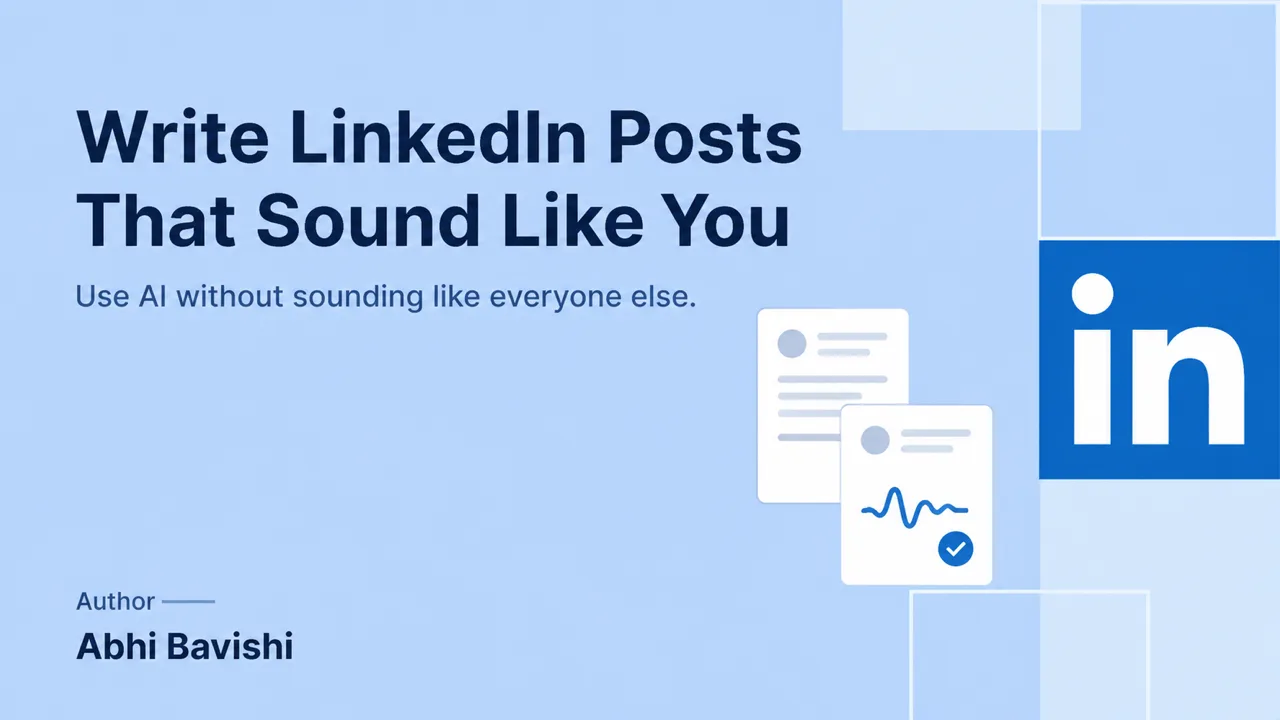
To make an AI-assisted LinkedIn® post sound like you, give the assistant your point of view, a few representative writing samples and the facts you can verify before it drafts. Then edit in three passes: meaning, then voice, then clarity. The post sounds like you when every claim and every choice is one you would defend.
Key takeaways
- Voice is the set of choices you repeat: how you open, how certain you sound, which examples you use and which phrases you refuse.
- Give the assistant your argument and evidence first, then your style. A draft can only be as specific as its brief.
- Pick ordinary, representative samples for the kind of post you are writing now. A viral outlier teaches the assistant a hook you rarely use.
- Keep the qualifications that belong to your real argument, and label any hypothetical example as hypothetical.
- Judge the final post with two tests: a trusted reader recognizes it as yours, and every claim checks out against your notes. Invented stories, deliberate errors and detector scores fail both.
Why do AI-assisted posts become generic?
A generic draft usually comes from a generic brief. “Write a professional post about leadership” gives the model a topic and a broad tone, but no decision, observation, audience or evidence. The result is fluent and says little that is specific to your experience or judgment.
Punctuation and sentence length are the wrong place to look. People also write polished lists, rhetorical questions and conventional openings, and those features alone cannot tell you who wrote a passage. Treat them as editing choices.
The useful diagnosis asks what the reader learns from this post that is specific to your perspective. If the answer is nothing, slang will not help. You need a clearer point: what happened, what you believe, what supports the belief and where it stops applying. Fill in this line before you prompt anything:
“I want [specific reader] to understand [one point], because [what I saw, read or measured]. It applies when [condition] and stops applying when [limit].”
OpenAI's prompting guidance recommends clear context and iterative refinement, and we apply that principle here as an editorial workflow. Its payoff is a post you can stand behind. Whether any particular style earns more reach on LinkedIn® is a separate question, and the only way to answer it for your account is to test your own posts.
What is your writing voice?
Writing voice is the recurring set of choices that makes your writing recognizable: vocabulary, rhythm, degree of certainty, examples, humor and the way you build an argument. It changes by context and stays yours. A technical explanation and a hiring announcement need different emotional registers.
Start by collecting examples you still feel comfortable signing. Include ordinary posts, thoughtful replies and perhaps a short article. A viral post may be an outlier shaped by a particular event or a hook you would not normally use, so popularity is a poor filter for the samples that define your voice.
Then mark concrete features on each sample. Answer these questions in a note:
- Do you explain a decision before telling a story, or the other way round?
- Do you qualify claims early, late or only when it matters?
- Do you use industry terms, and do you define them?
- Do your examples come from everyday work or from big career moments?
- How do your posts usually end: a next step, a question or a plain stop?
These observations are more useful than “authentic, engaging and professional.”
Also record what your voice excludes. You may dislike inflated success language, invented dialogue, aggressive disagreement or a question at the end of every post. Write each one as a line: “I never [phrase or habit].” These boundaries stop an assistant from treating a generic social media convention as part of your identity.
1. How do you start with your own point of view?
Start with one rough sentence stating what you want the reader to understand, then the reason you believe it. Elegance can wait. “We keep asking for better documentation when the real issue is that nobody owns the decision” gives more direction than “a post about collaboration.”
The reason may be a real observation, a public source or a line of reasoning. Label which one it is. “I noticed” is different from “a study found,” and both are different from “I suspect.” An assistant should never quietly convert one into another.
Use this prompt and fill in the brackets:
“Before drafting, summarize my argument and list the evidence I have supplied. Ask about any missing step. Add no personal story and claim no result. My view: [view]. My evidence: [evidence, labeled as observation, source or reasoning]. My intended reader: [reader].”
Review the summary before moving to prose. If the argument is weak, improve it before polishing the voice. A post can sound exactly like you and still be unhelpful, because the aim is useful thinking expressed in language you would choose. Keep a note of the final argument so you can compare it with the generated draft later.
2. How do you choose useful writing samples?
Choose several compatible samples that represent the style you want for the current task. A personal reflection may be a poor reference for an announcement about a technical change, and several examples keep one unusual joke or sentence pattern from dominating the draft.
Tell the assistant what to learn from each sample and what to leave behind. A short label per sample does the job:
“Sample [number]: learn [the direct opening / the careful qualification / the example structure]. Leave behind [names, events, results and distinctive phrases that belong to the original context].”
Use only writing you are entitled to reuse. The U.S. Copyright Office's overview explains the distinction between protected expression and ideas. That is a good reason to avoid asking an assistant to reproduce another writer's recognizable passage. Learn from a structure, and keep someone else's wording and experience out of your post.
Review the sample set every few months. Your current style may be calmer, more technical or more concise than your older posts, and a saved profile should follow you forward. Replace samples that no longer reflect how you want to communicate.
3. How do you turn samples into a practical voice brief?
Ask the assistant to describe the observable patterns in your samples, then correct its reading. Each trait in the finished brief should be a behavior the assistant can follow and you can check.
Vague labels fail that test. “Confident” can mean clear reasoning or unjustified certainty. “Conversational” can mean natural phrasing or excessive slang. Translate each adjective into an instruction and a boundary:
| Preference | Instruction | Boundary |
|---|---|---|
| Direct | State the main point before background | Keep conditions that affect accuracy |
| Practical | Show a decision or next step | Use only results you actually measured |
| Conversational | Use words the author would say to a colleague | Skip slang added for appearance |
| Warm | Acknowledge the reader's situation | Keep praise for where it is earned |
| Technical | Keep necessary terms and define them once | Explain ordinary points in ordinary words |
Then write the brief as a short paragraph. A working template:
“Open with [the decision / the problem / a concrete example]. Use examples from [my everyday work]. State uncertainty plainly and without apology. Prefer [ordinary verbs]. Never use [phrases from your exclusion list]. End with [a next step / a specific question / a plain stop].”
4. How do you add detail without inventing a story?
Use details that clarify the argument and that you can verify. A project decision, a common error message, a real constraint or a publicly documented example is often enough. A post works without a dramatic failure or a personal confession.
An illustrative weak sentence is: “We transformed our onboarding and customers loved it.” A stronger sentence is: “We separated setup instructions from troubleshooting notes because customers needed different information at different stages.” The second sentence explains the decision and claims no satisfaction or business impact that nobody measured.
If you do have a result, preserve its scope. State what was measured, when, and what else changed at the same time. Watch for a model turning feedback from a few reviewers into a universal customer preference. If the evidence cannot carry the conclusion, narrow the conclusion.
When you lack a personal example, use a clearly labeled hypothetical. “For example, a team might…” is honest. “Last week, a client told me…” is a factual claim and must be true. LinkedIn®'s Professional Community Policies set the context for authentic participation, and your credibility depends on explaining the details when readers ask.
5. How do you edit the opening and ending?
The opening states the problem, decision or observation that makes the post worth reading, and the ending completes that thought. Both have to match the size of the body. If the post explains a small process improvement, open with the improvement, and leave your whole career out of it.
Ask for three alternatives with different jobs: one that states the answer, one that names the tradeoff and one that begins with a concrete example. Choose the version that represents the body. The hook generator can provide starting options, and the final opening still has to earn its promise in the text.
For the ending, a question is useful when you genuinely want a particular answer. “How do you handle approval when two teams share ownership?” is a real discussion prompt. “Agree?” adds little to a finished argument.
Read the opening and ending together without the middle. They should belong to the same post. If the ending introduces a new claim, develop it in the body or remove it. If the opening promises more than the evidence shows, shrink the promise to fit the evidence.
6. How do you use AI revision without losing the argument?
Revise one dimension at a time: facts and logic first, then voice, then readability and formatting. Separate passes show you which change introduced an error or removed an important qualification.
Use a constrained revision prompt:
“Keep the argument and factual scope unchanged. Replace language that conflicts with my voice brief. Add no examples, numbers or personal experience. Return the revision and list any sentence whose meaning changed.”
The list matters because a fluent rewrite can hide a substantive shift. Compare the revision with your notes and watch for stronger verbs that imply causation, ownership or certainty. “Helped” becoming “led,” “may” becoming “will,” and “feedback suggested” becoming “proved” are meaningful changes. Smoothness alone is no reason to accept them.
For the final sentence pass, Google's clear-writing guidance recommends specific subjects and verbs. That usually helps more than a blanket ban on long sentences or a demand for deliberate fragments. Vary the rhythm when it helps the reader, and keep normal grammar when it serves your meaning.
7. How do you test whether the post sounds like you?
Run three checks: read it aloud, give it to a trusted reader with a specific task, and review every claim. The post passes when the phrasing, certainty and examples feel like choices you would make, and every fact holds.
- Read the draft aloud. Some technical writing is more formal than everyday speech and still belongs to you, so listen for choices you would never make, and keep formal phrasing you would.
- Ask a trusted reader to mark passages that seem unlike your normal writing. Give them four things to find: inflated language, unexplained certainty, forced humor and sentences they cannot imagine you defending. A vague question such as “is this good?” gets a vague answer.
- Highlight every statement about your experience, another person's behavior, a product capability or a result, and confirm each one. A post that sounds natural but contains a false anecdote fails the more important test.
Leave AI-detector scores out of the process. A detector score cannot confirm who wrote a post or whether it is accurate, and adding mistakes, slang or arbitrary punctuation to move the score makes the text less clear without making it more truthful. Your standard is whether you understand, endorse and can support the final post.
What does a complete before-and-after example look like?
The following scenario is illustrative. A hypothetical agency recruiter wants to explain why she now sends each candidate a short brief before the first interview. Her supplied facts are modest: several candidates arrived prepared for the job description and surprised by what the hiring manager asked, she now sends a one-page summary of the manager's priorities from the intake call, and she has not measured any effect on offers.
A generic draft might read: “Great recruiters go the extra mile. After struggling with candidate prep, we transformed our process and unlocked a new level of interview success. The secret was simple: preparation. What is your favorite interview tip?” The draft invents a transformation and makes the lesson broader than the evidence.
Her voice brief says: direct opening, a practical explanation, no invented result and a clear limit. The revised draft could read: “Before every first interview, I now send the candidate one page: what the hiring manager asked about most in our intake call, and the question they always ask. Candidates kept arriving ready for the job description and surprised by the conversation. I have not measured whether it changes offers yet. If your candidates often say an interview went sideways, check whether anyone told them what the manager actually cares about.”
The improvement comes from the source material and the scope, with no deliberately rough prose. The post explains what changed, why it changed and what remains unknown. It gives the reader a practical inspection point without pretending one recruiter proved a universal law.
A more reflective recruiter might keep the same facts and open with the moment a candidate told her the interview felt like a different job. A more process-minded one might list the sections of the one-page brief first. Both can be authentic. The evidence stays fixed while the presentation changes, and that is the distinction a useful voice workflow should preserve.
How can a saved voice profile help?
A saved voice profile saves you from repeating style instructions in every prompt. It guides wording and structure, and it verifies nothing: even a close stylistic match can invent an experience if the source brief is vague.
Reepl is an AI writing platform that puts your social media on autopilot in your own voice: it finds what to post about, drafts your posts, and keeps your calendar full, and you decide how much it does without asking. Voice profiles help guide the style of drafts. You still supply or verify the underlying facts and choose the review process appropriate to your work.
A general assistant with a maintained prompt document may be enough if you write occasionally. A dedicated workflow becomes more useful when keeping your style across recurring drafts is the friction you want to remove. Compare the editing work each option leaves you with, whatever its product label says.
Review data handling before uploading samples. Remove confidential client information, private correspondence and material you lack permission to share. For ChatGPT, data controls explain the available settings; other services have their own terms. A writing sample can carry sensitive facts even when you intend to use it only for tone.
What should you do when the voice still feels wrong?
Name the specific mismatch and give the assistant one concrete correction for it. “Make it more human” gives the model nothing to act on. Use this table to pick the fix:
| What you notice | What to give the assistant |
|---|---|
| Inflated language | One rejected sentence and the plain version you would write |
| Too much certainty | The missing condition, stated in one sentence |
| Every post has the same shape | Two samples that use the different structures you actually use |
| Copies your samples too literally | An instruction to keep the style and reorganize for the new idea |
| Imports facts from an old sample | Separate, labeled inputs: style references here, factual sources there |
Sometimes the best fix is to write the difficult paragraph yourself. AI is useful where it reduces friction, and an endless cycle of corrections is friction. Keep the passage you wrote, ask for a limited clarity review, and reject changes that weaken your meaning.
Use the post formatter only after the substance is settled, because formatting should reveal the argument. Save the final draft beside its brief so that future revisions start from an example you have actually approved.
How do you maintain your voice over time?
Keep a small collection of posts you are proud to sign, with a note on why each works, and update the brief when a problem repeats. Add new examples when your role, audience or style changes. Remove examples that rely on conventions you no longer want to repeat.
Look for patterns across several drafts before reacting to one awkward sentence. If the same problem recurs, add a concrete instruction and an example to the voice brief. If the problem is factual accuracy, fix your source notes, because a tone instruction cannot repair a wrong fact.
Your next step: take one unfinished post, write its argument in a single sentence and list the evidence you can support. Generate or revise from that foundation. A recognizable voice is valuable because it carries your real judgment to the reader.
Write LinkedIn® Posts in Your Voice
Voice profiles, custom prompts, and AI that learns how you write, so your posts sound like you, not a template.